Streaming Your Piano Sessions? Make Your Background Look As Good As You Sound
When you hit “Go Live” on a piano stream, viewers don’t just hear you – they see everything behind you.
Dec 08, 20258K Shares160.9K Views
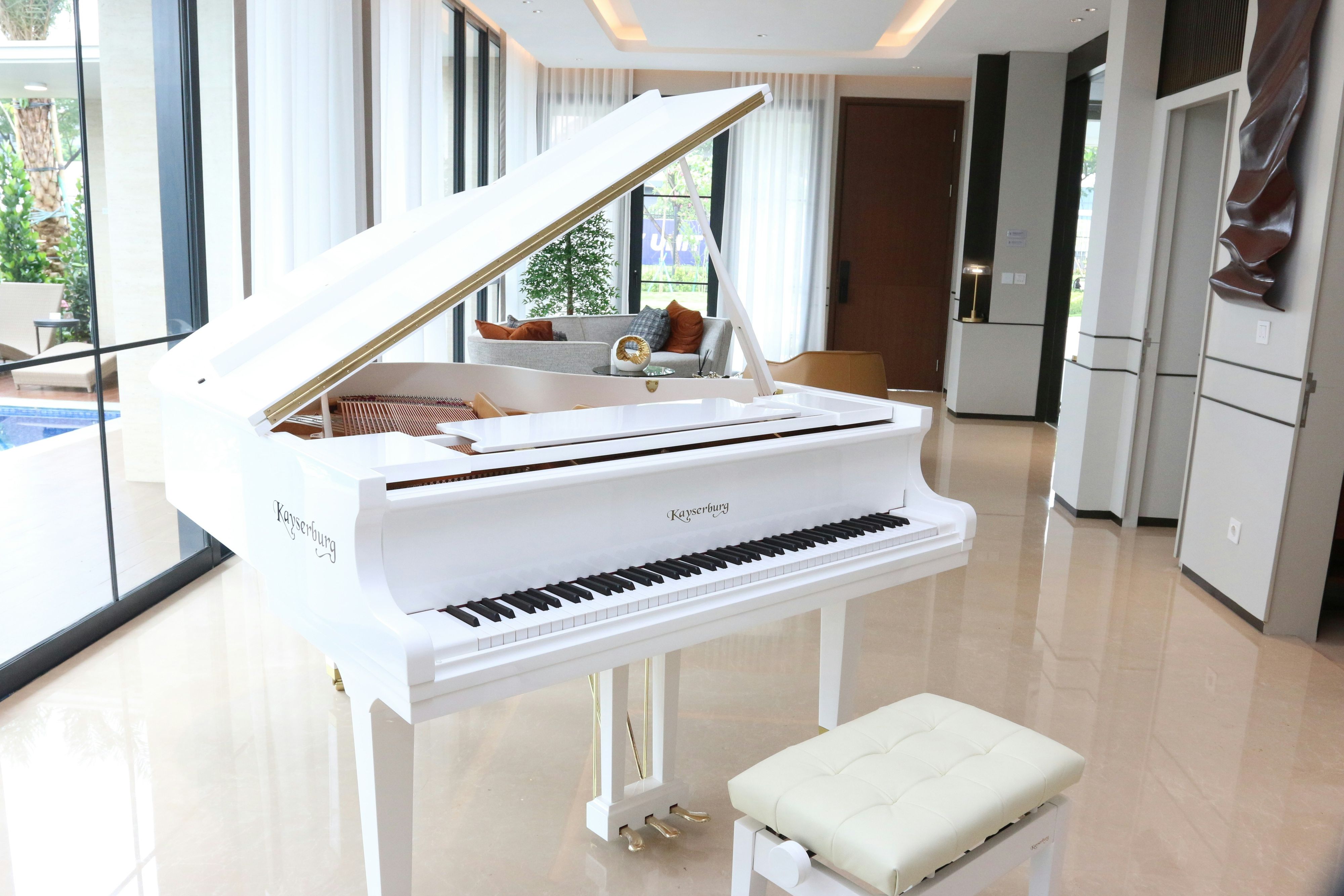
When you hit “Go Live” on a piano stream, viewers don’t just hear you – they see everything behind you.
A messy corner, harsh lighting or a boring wall can subtly drag down how “professional” your playing feels. On the other hand, a thoughtful background can make even a simple digital pianosetup feel like a tiny studio.
The good news? You don’t need a recording budget to fix this. A few practical tweaks can dramatically improve how your stream looks.
Step 1: Decide What You Want Your Space To Say
Before buying anything, ask yourself:
- Do I want my stream to feel cosy and intimate, or clean and studio-like?
- Am I leaning more classical, jazz, lo-fi, or gaming crossover?
- Do I want the focus only on my hands and keys, or more of my room?
Your answers will guide every visual choice – from colours to wall art.
For example:
- A classical/film music channel might go for warm lighting, wood tones and subtle artwork.
- A synthwave or game music channel could lean into neon, bold posters and darker backgrounds.
- A “study with me” piano channel might choose softer palettes and calming prints.
Step 2: Tame The Chaos (Even Just Outside The Frame)
Viewers forgive a lot, but visible clutter is distracting.
Quick wins:
- Clear anything unrelated to your stream from visible surfaces
- Hide cables behind the piano or with cheap cable clips
- Use a simple rug or mat under the piano to visually “anchor” the instrument
The goal isn’t perfection; it’s removing anything that pulls attention away from your hands and the keys.
Step 3: Get The Lighting Doing Half The Work
Lighting is the single biggest upgrade you can make.
Try this basic setup:
- Place a soft light in front of you, slightly to one side, at or above eye height.
- Avoid strong lights directly behind you – they’ll turn you into a silhouette.
- If you can, use a small lamp or LED strip behind the piano pointing at the wall to create a soft glow.
You don’t need fancy gear; even a cheap ring light and a warm desk lamp can transform the picture.
Once lighting is decent, your wall and decor choices will show up properly on camera.
Step 4: Use Wall Art To Frame Your Shot
A blank wall can look clinical on camera. The trick is to add interest withoutclutter.
Wall art works extremely well here because it:
- Adds colour and personality
- Doesn’t take up floor space
- Stays exactly where you put it – no risk of knocking it mid-song
Some ideas:
- Minimalist music notation prints
- Abstract art that matches your channel colours
- Stylised portraits of composers, instruments or favourite artists (watch licensing if you’re selling prints)
- Graphic posters inspired by game soundtracks you often play
If you don’t have local access to prints, a wall art print-on-demand partner like Printseekers can turn your digital designs into posters, framed prints or canvasesand ship them ready to hang. That lets you match your on-screen branding across thumbnails, overlays and the physical background.
Step 5: Make Sure Your Background Works At Thumbnail Size
Most viewers decide to click (or keep scrolling) based on a tiny thumbnail on Twitch, YouTube or wherever you’re streaming.
So:
- Check how your stream looks in a very smallpreview window.
- Is your face visible, or at least the keyboard and hands?
- Does the background read as intentional, or just “random room”?
Simple compositions work best. One or two strong shapes behind you – like a single statement canvas, or two aligned posters – often beat a chaotic mosaic of small things.
Step 6: Add Subtle “Channel Signatures”
You don’t need a giant logo on the wall. Instead, think about repeating small visual elements:
- A specific colour you use in your overlay and in your wall art
- A recurring motif (a tiny treble clef, a particular plant, a certain lamp)
- Background prints that echo what you’re playing (e.g., game-inspired art when you play soundtracks)
Over time, these details make your setup instantly recognisable.
You might, for example, commission a designer friend to create a custom “channel poster” – then print it as a framed piece using a POD serviceso it always looks crisp on camera.
Step 7: Keep Practical Stuff Within Reach But Out Of Sight
While we’re dressing the background, don’t forget utility.
You’ll want nearby:
- Water
- A cloth for the keys
- Sheet music or a tablet
- A notebook for requests
Use a small side table just outside the camera frame. That way, your movements stay smooth and you’re not leaving the shot mid-stream, but the visual field stays clean.
Step 8: Evolve Slowly Instead Of Redesigning Weekly
The worst thing you can do is chase every aesthetic trend you see on other channels. Constantly changing your background confuses viewers and burns your time.
Instead:
- Set up a basic, clean background.
- Add one new element at a time – a plant, a print, a light strip.
- Ask your community what they notice or like.
- Keep what works, remove what doesn’t.
Because wall art is easy to swap, you can gently shift your vibe as your channel evolves. If you use print-on-demand, you can even order new prints in small runs without storing stacks of old posters.
Your playing is the star of the show. But in an online world where millions of streams compete for attention, howyour music looks matters too.
A thoughtful background doesn’t require an expensive studio. It just asks the same thing you already give your piano practice: a bit of intention, some experimentation – and a willingness to fine-tune until it feels like you.
Jump to
Step 1: Decide What You Want Your Space To Say
Step 2: Tame The Chaos (Even Just Outside The Frame)
Step 3: Get The Lighting Doing Half The Work
Step 4: Use Wall Art To Frame Your Shot
Step 5: Make Sure Your Background Works At Thumbnail Size
Step 6: Add Subtle “Channel Signatures”
Step 7: Keep Practical Stuff Within Reach But Out Of Sight
Step 8: Evolve Slowly Instead Of Redesigning Weekly
Latest Articles
Popular Articles