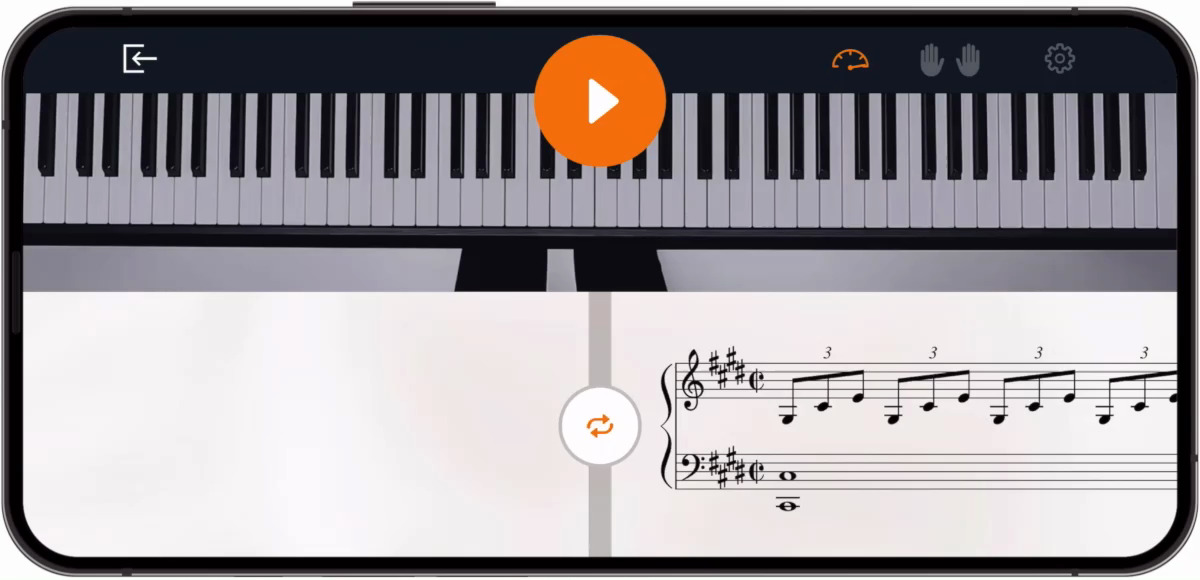
I have spent years navigating the intersection of music and technology, and I know firsthand that the right software can be the difference between a creative breakthrough and a technical headache. In today’s digital age, we no longer rely solely on traditional methods to compose or perform music.
Technology, specifically piano software, has revolutionized the way I create, perform, and record. Choosing piano software should be simple. In practice, it rarely is. You open a search, get a list of 20 tools with no context for who each one is actually built for, and end up more confused than when you started.
Every recommendation in this article is organized by role, composer, performer, or learner, so you spend time only on the tools that match your actual situation. Each pick is evaluated on sound quality, usability, platform support, and value, not just feature count.
Key Features To Look For In Piano Software
When choosing piano software, understanding essential features like sound quality and MIDI integration is crucial. For composers, MIDI integration allows a seamless connection between your keyboard and computer, making it easier to edit and create music. You can find comprehensive details on MIDI integration at MIDI.org, which explains how it works and the best tools for musicians.
Ease Of Use
A user-friendly interface allows composers and performers to focus on creativity rather than struggling with the software. Look for intuitive layouts and easy navigation that don't require steep learning curves.
Sound Quality
For both composing and performing, high-quality sound samples are critical. Professional-grade softwareoften uses recordings from real grand pianos, ensuring a lifelike auditory experience that can enhance your music.
MIDI Integration
MIDI (Musical Instrument Digital Interface) is essential for recording and composing, allowing you to connect your digital pianoor keyboard to the software. Ensure your software has strong MIDI support for seamless connectivity and editing capabilities.
Customization Options
Being able to tweak and customize sounds, effects, and other settings allows composers to craft a signature sound. Look for software with deep sound libraries, adjustable effects, and plugin support for flexibility.
Performance Tools
For performers, real-time performance capabilities such as low latency, sound customization, and easy setup for live events are crucial. Some software even offers features like automatic accompaniment and real-time sound effects.
Top Piano Software For Composers
Logic Pro X
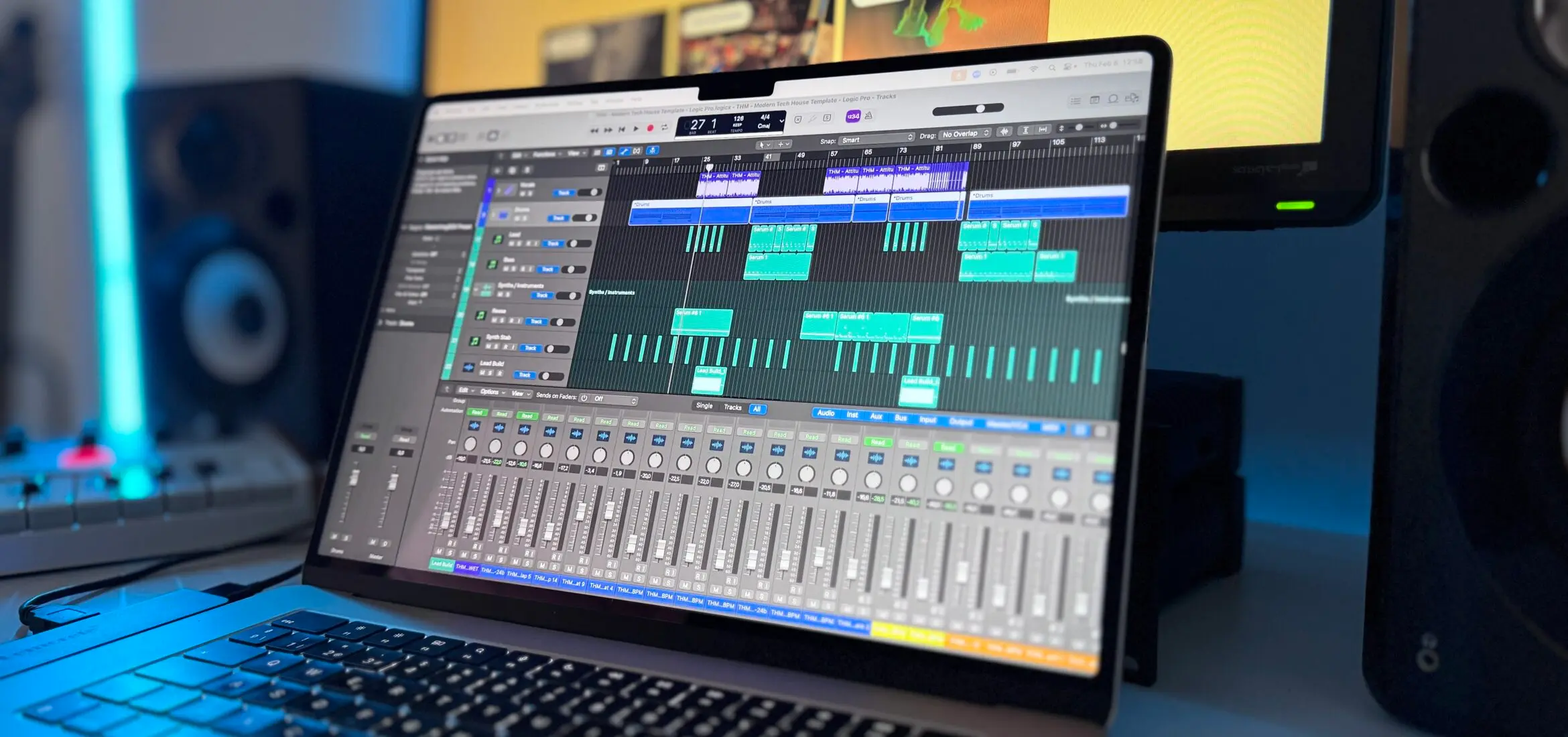
One of the top picks for composers, Logic Pro X offers extensive tools for both MIDI editing and audio recording, making it a versatile option. Additionally, Logic Pro X’s user-friendly interface allows musicians to focus on creativity. For more insights and a detailed review of this software, check out Apple's Logic Pro X page, where you can explore its features in depth.
- Platform: macOS
- Format: Standalone DAW
- Price: $199.99
- Free trial: Yes (90 days)
- Best for: Apple-based composers looking for an all-in-one professional studio
- Not ideal for: Windows users or those who prefer a non-linear, clip-based workflow
- Pros: Exceptional value with high-quality stock plugins; industry-standard MIDI editing.
- Cons: Hardware locked to Mac; can be resource-intensive on older machines.
Keyscape By Spectrasonics - Best Multi-Sampled Grand Piano Library
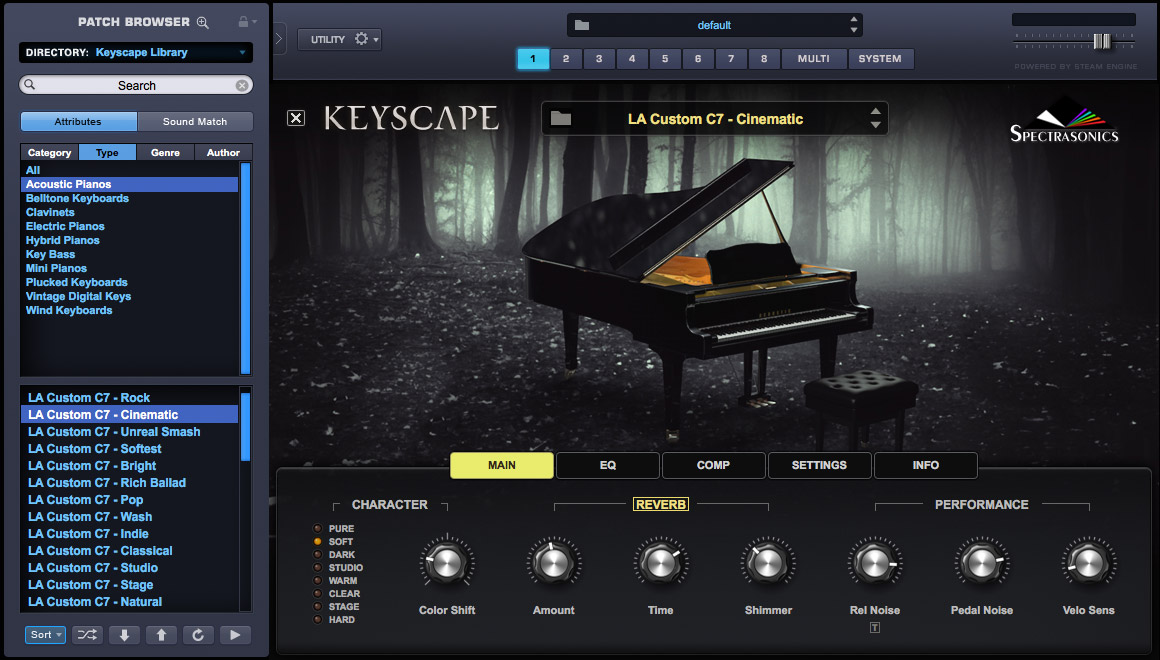
Keyscape is a multi-sampled keyboard instrument library covering over 36 keyboard instruments, with its Bösendorfer Imperial grand piano widely regarded as one of the most detailed sampled pianos ever recorded.
Imagine scoring a dramatic scene for a streaming series - the kind of moment where a single sustained chord needs to fill a room. Keyscape's long sustain samples and multiple mic positions give composers precise control over how that chord sits in a mix.
- Platform: Windows, macOS
- Format: Standalone + VST/AU/AAX plugin
- Price: $379
- Free trial: No
- Best for: Composers and producers who need cinematic, production-ready piano tones
- Not ideal for: Budget-conscious users or those with limited hard drive space
- Pros: Incredible sonic character; "Duo" patches allow for creative blending.
- Cons: Massive 80GB installation; no demo version available.
FL Studio
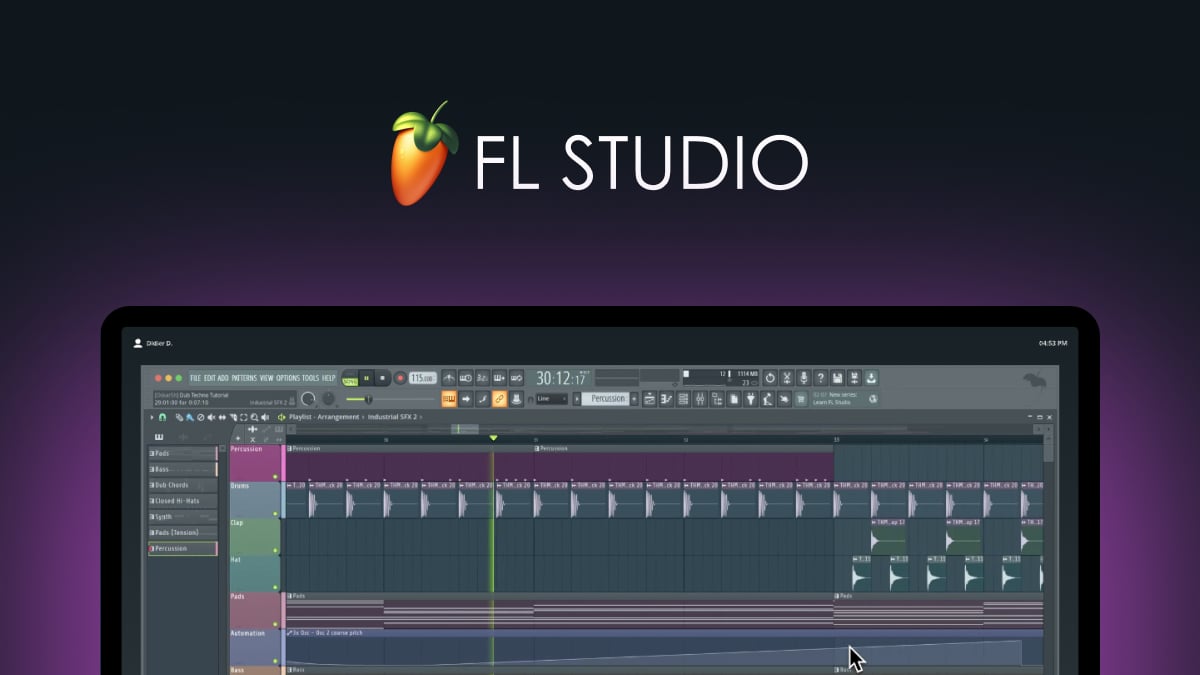
FL Studiois famous for its "Piano Roll," which many composers consider the best in the industry for rapid MIDI sequencing. It is highly versatile, supporting everything from classical scoring to electronic production.
- Platform: Windows, macOS
- Format: Standalone DAW + VST/AU
- Price: $99 – $449 (depending on edition)
- Free trial: Yes (Unlimited time, no saving)
- Best for: Composers who prioritize fast MIDI sequencing and beat-making
- Not ideal for: Traditionalists who rely heavily on standard sheet musicnotation
- Pros: Lifetime free updates; the most intuitive piano roll for MIDI editing.
- Cons: Interface can feel cluttered; recording live audio is less streamlined than in other DAWs.
Cubase
For composers focused on creating symphonic or piano-driven music, Cubase offers an advanced composition suite with excellent sound editing and mixing tools. It’s favored for its precision in scoring and arranging.
Favored by Hollywood film composers, Cubase offers a clinical level of precision in MIDI expression and orchestral scoring that few other programs can match.
- Platform: Windows, macOS
- Format: Standalone DAW
- Price: $579.99 (Pro) / $329 (Artist) / $99 (Elements)
- Free trial: Yes (30 days)
- Best for: Professional film scorers and symphonic composers
- Not ideal for: Beginners looking for a simple, "plug-and-play" experience
- Pros: Advanced MIDI expression maps; industry-leading video sync tools.
- Cons: Steep learning curve; the Pro version is quite expensive.Native Instruments
The Grandeur - Best For Orchestral And Cinematic Scoring
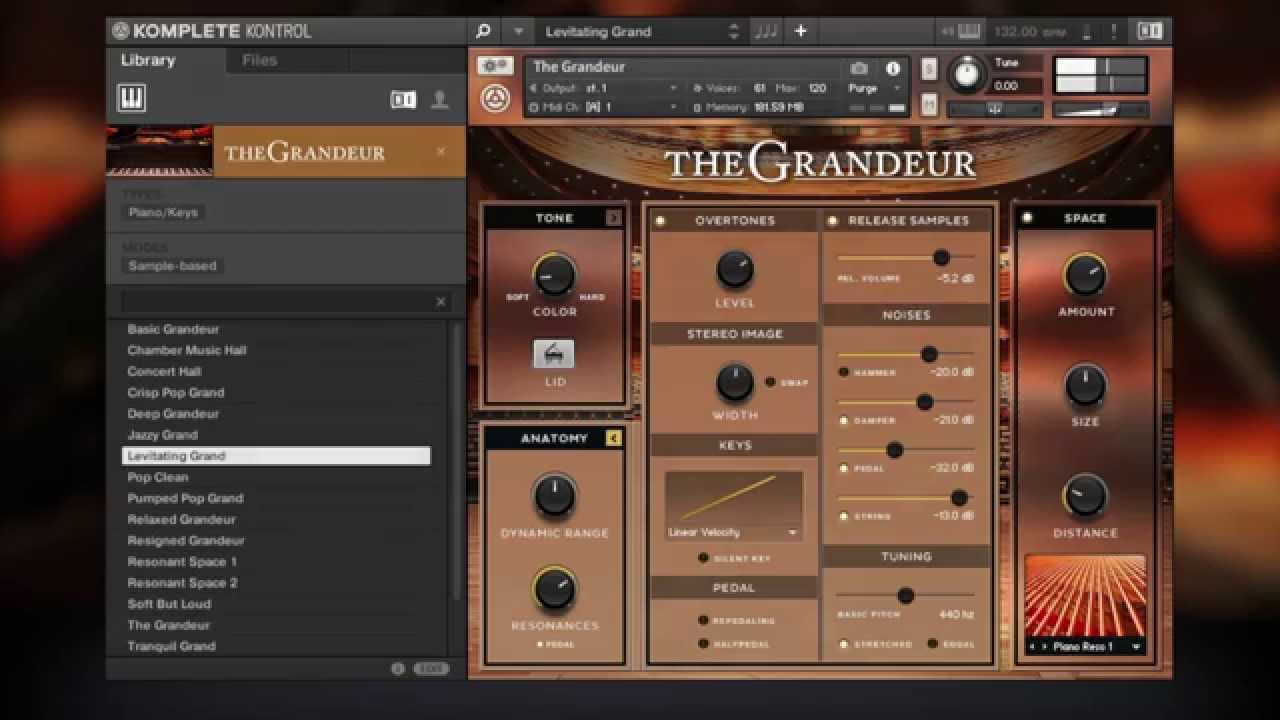
THE GRANDEUR tutorial | Native Instruments
The Grandeurby Native Instruments is a high-quality virtual piano library featuring a Hamburg Steinway D grand piano, designed for Kontakt Player. It features over 2,500 samples with 18 velocity zones for detailed realism, ideal for genres from pop to classical. It runs on PC/Mac, requires 6.5 GB of space, and is praised for its warm, resonant, and balanced sound.
- Platform:Windows, macOS
- Format:Kontakt Player instrument (VST/AU/AAX)
- Price:$99
- Free trial:Yes, via NI's trial system
- Best for:Orchestral composers and film scorers
- Not ideal for:Solo piano performance where maximum tonal detail is the priority
- Pros: Very affordable; runs efficiently on most modern computers.
- Cons: Limited to one piano model; requires the Native Access manager.
Addictive Keys By XLN Audio - Best Budget-Friendly Piano VST
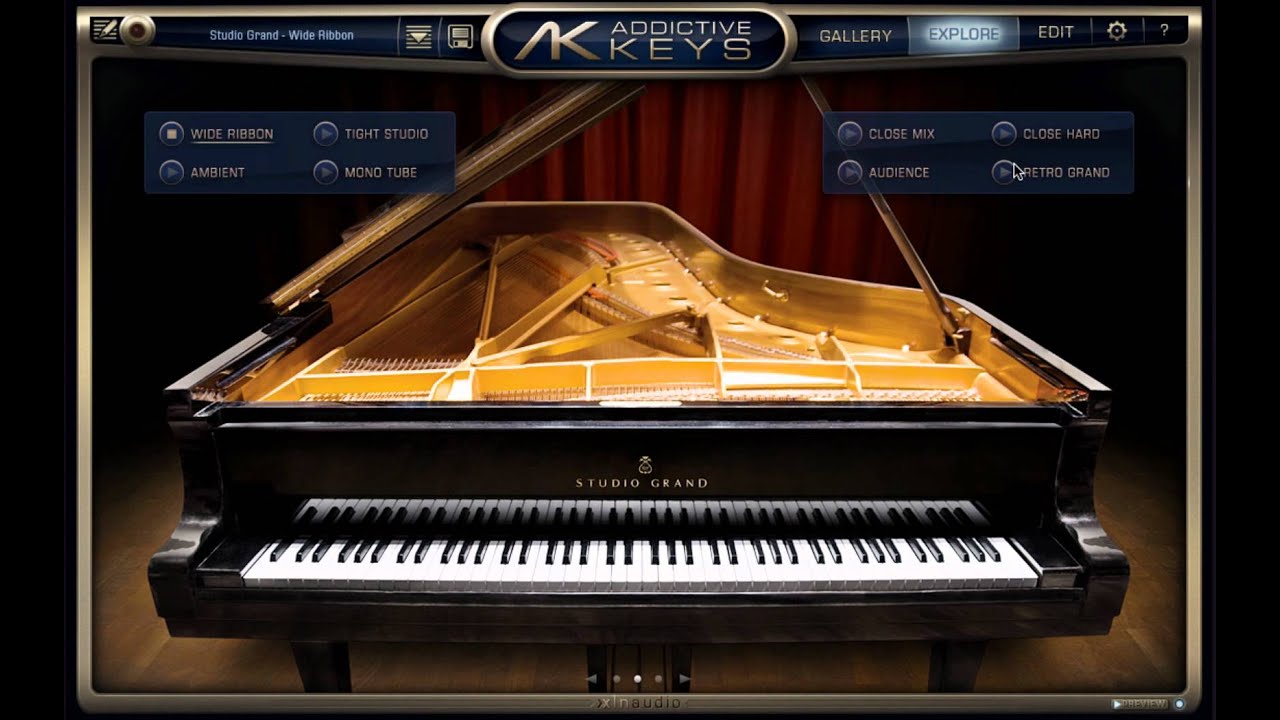
Addictive Keys - Tutorial - Overview
Addictive Keyspunches well above its price point. It offers four piano models with deeply adjustable mic positions, room ambience, and tone controls - all in a clean, fast-loading interface.
For a bedroom producer who needs a convincing piano without spending several hundred dollars, Addictive Keys is the most logical starting point. It loads fast, sounds clean, and the built-in effects mean you can go from MIDI to a finished piano sound without leaving the plugin.
- Platform: Windows, macOS
- Format: Standalone + VST/AU/AAX plugin
- Price: $79.20 (Trio) / $58.80 (Single)
- Free trial: Yes
- Best for: Songwriters and bedroom producers on a budget
- Pros: Extremely fast load times; built-in effects are excellent for pop/rock.
- Cons: Lacks the ultra-deep velocity layers found in premium libraries like Keyscape.
East West Quantum Leap Pianos - Best For Ultra-Detailed Sampling
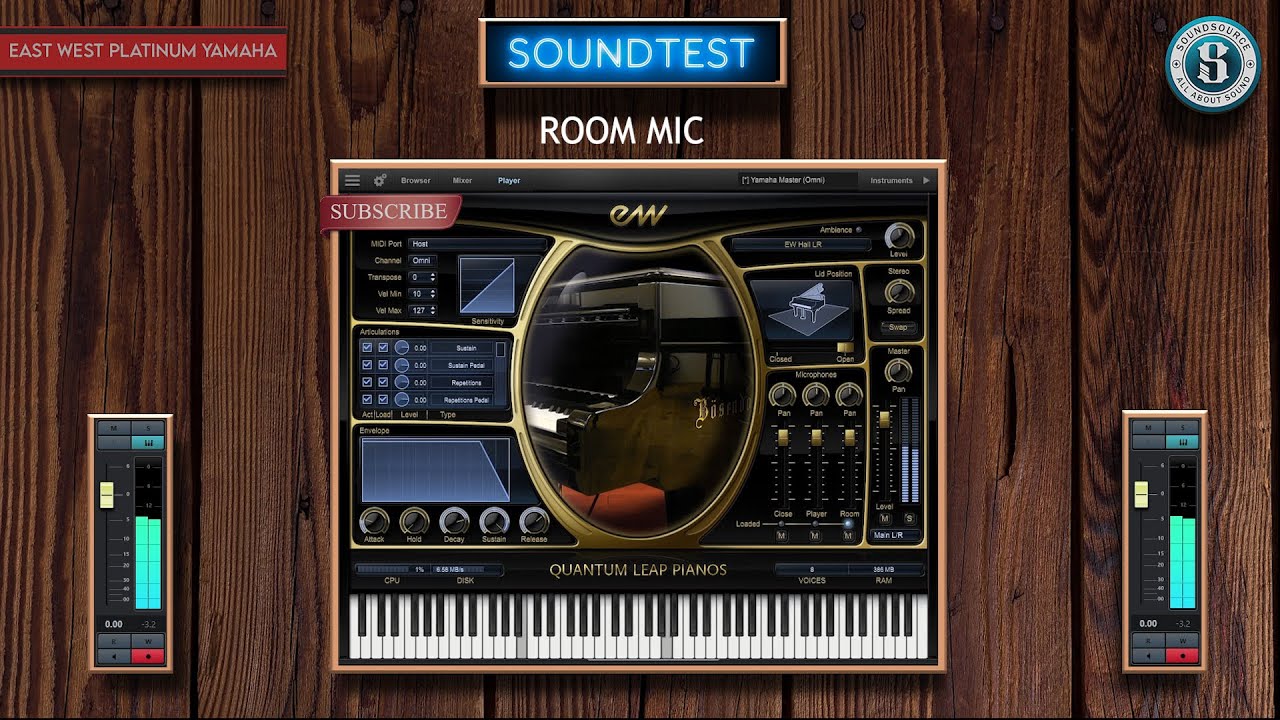
East West VSTrecorded four concert grand pianos across multiple studios, capturing every nuance of the instrument - hammers, pedals, sympathetic string resonance, and all. The result is the most acoustically complete sampled piano collection available.
The catch is the system requirements. These libraries run large and demand significant RAM and storage. A composer working on a dedicated studio machine will appreciate the depth; a laptop user may find it impractical.
- Platform: Windows, macOS
- Format: OPUS Engine (VST/AU/AAX)
- Price: $299 (or via ComposerCloud subscription)
- Free trial: Yes (via ComposerCloud trial)
- Best for: Purists who want the most detailed acoustic sampling possible
- Not ideal for: Users on laptops with slow hard drives or limited RAM
- Pros: Unrivaled resonance and detail; multiple mic positions included.
- Cons: Huge system footprint; the software engine can be finicky.
Best Piano Software For Performers
Live performance demands a different kind of reliability. Sound quality still matters, but latency, stability, and portability become equally important. The tools in this section are built with the stage in mind.
MainStage - Best Live Performance Platform For Mac Users
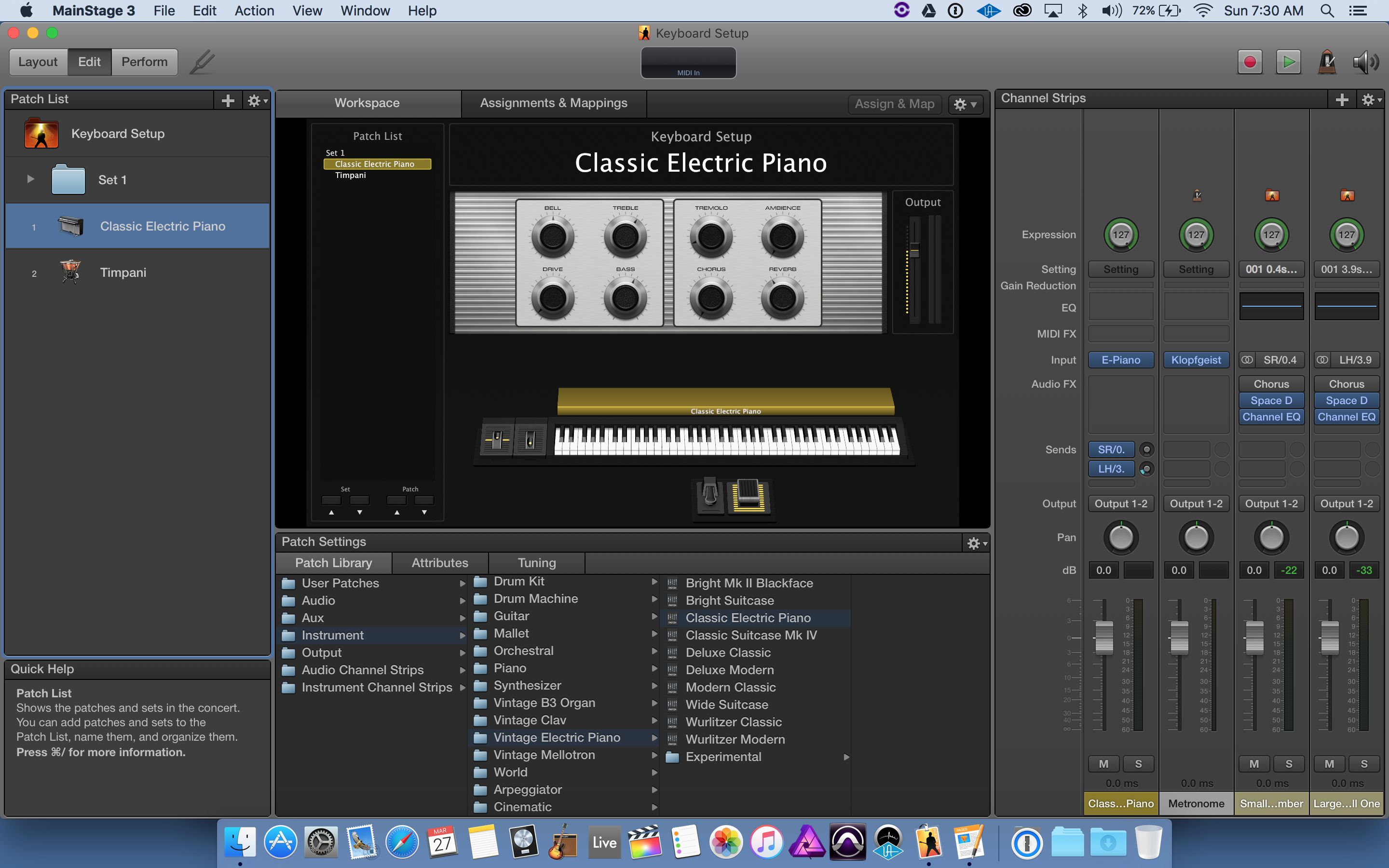
MainStage is Apple's professional live performance app, designed to turn a Mac into a full-featured stage keyboard rig. It ships with a high-quality concert grand piano patch and supports hundreds of additional software instruments.
At $29.99, it is one of the best-value professional tools in any software category. A keyboardist playing with a touring band can run an entire keyboard setup - piano, electric piano, synths, strings - from a single MacBook.
- Platform:macOS only
- Format:Standalone
- Price:$29.99 one-time
- Free trial:No
- Best for:Mac-based performers wanting a complete live rig
- Not ideal for:Windows users; studio production workflows
- Pros: Incredible price for professional tools; supports all third-party VSTs
- Cons: macOS exclusive; no built-in sequencing or recording
Pianoteq Stage - Best For Cross-Platform Live Performance
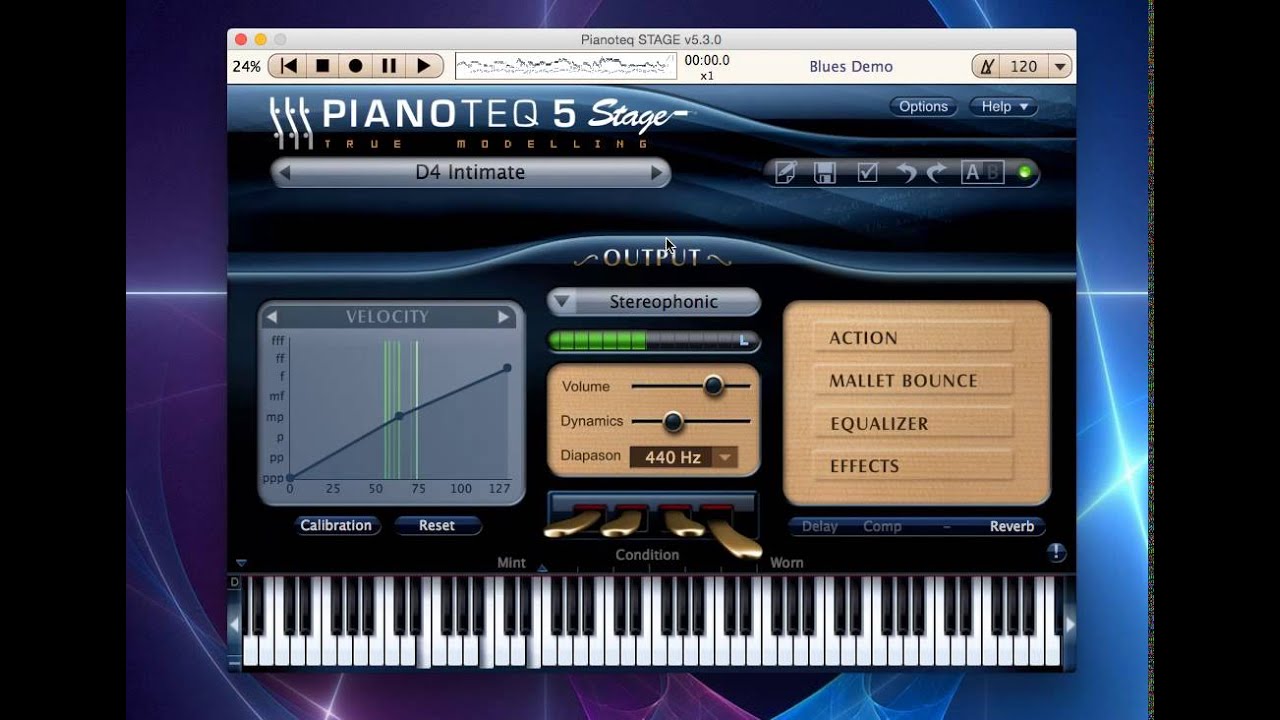
Pianoteq Stage Piano Demo
Pianoteq Stageis a streamlined version of Pianoteq 8, optimized for live use. It retains the physical modelling engine - meaning low CPU load, tiny file size, and consistent sound - but simplifies the interface to what a performer actually needs on stage.
Its MIDI responsiveness is exceptional. Players who work with expressive controllers or extended MIDI techniques will find that Pianoteq Stage captures velocity and articulation with a precision most sample-based alternatives cannot match.
- Platform: Windows, macOS, Linux, iOS
- Format: Standalone + VST/AU/AAX
- Price: $139
- Free Trial: Yes
- Best For: Performers who need zero latency and a small system footprint
- Not Ideal For: Sound designers who want to edit individual string parameters
- Pros: Installs in seconds; extremely expressive and responsive to touch
- Cons: Cannot adjust the "physical" model as deeply as in the Pro version
Ravenscroft 275 - Best Ultra-Realistic Steinway-Style Piano For Stage
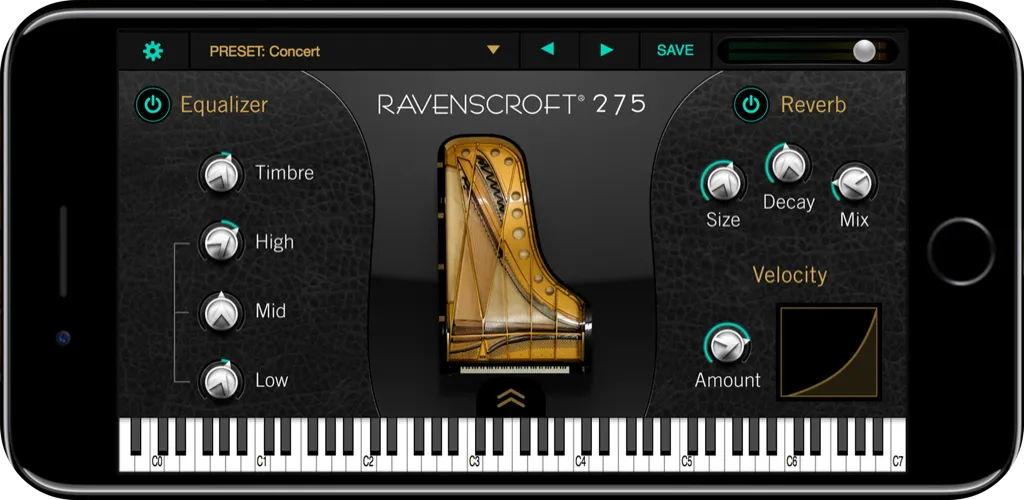
The Ravenscroft 275is based on an extensively sampled 9-foot Ravenscroft grand piano and is widely praised for its tonal richness in live contexts. It is available for both desktop and iPad, making it practical for performers who use an iPad-based stage rig.
The sound is warm and full in the low register, clear and singing in the upper octaves. For solo piano performance work - recitals, intimate concerts, or theatre pit work - it is one of the most convincing software alternatives to a real grand.
- Platform: Windows, macOS, iOS
- Format: Standalone + AUv3
- Price: $199 (Desktop) / $49.99 (iOS)
- Free Trial: No
- Best For: Solo piano recitals and jazz performers
- Not Ideal For: Producers looking for a "gritty" or vintage character
- Pros: Best iOS piano app on the market; stunning dynamic range
- Cons: Tonal character can be a bit "bright" for certain pop genres
Ableton Live
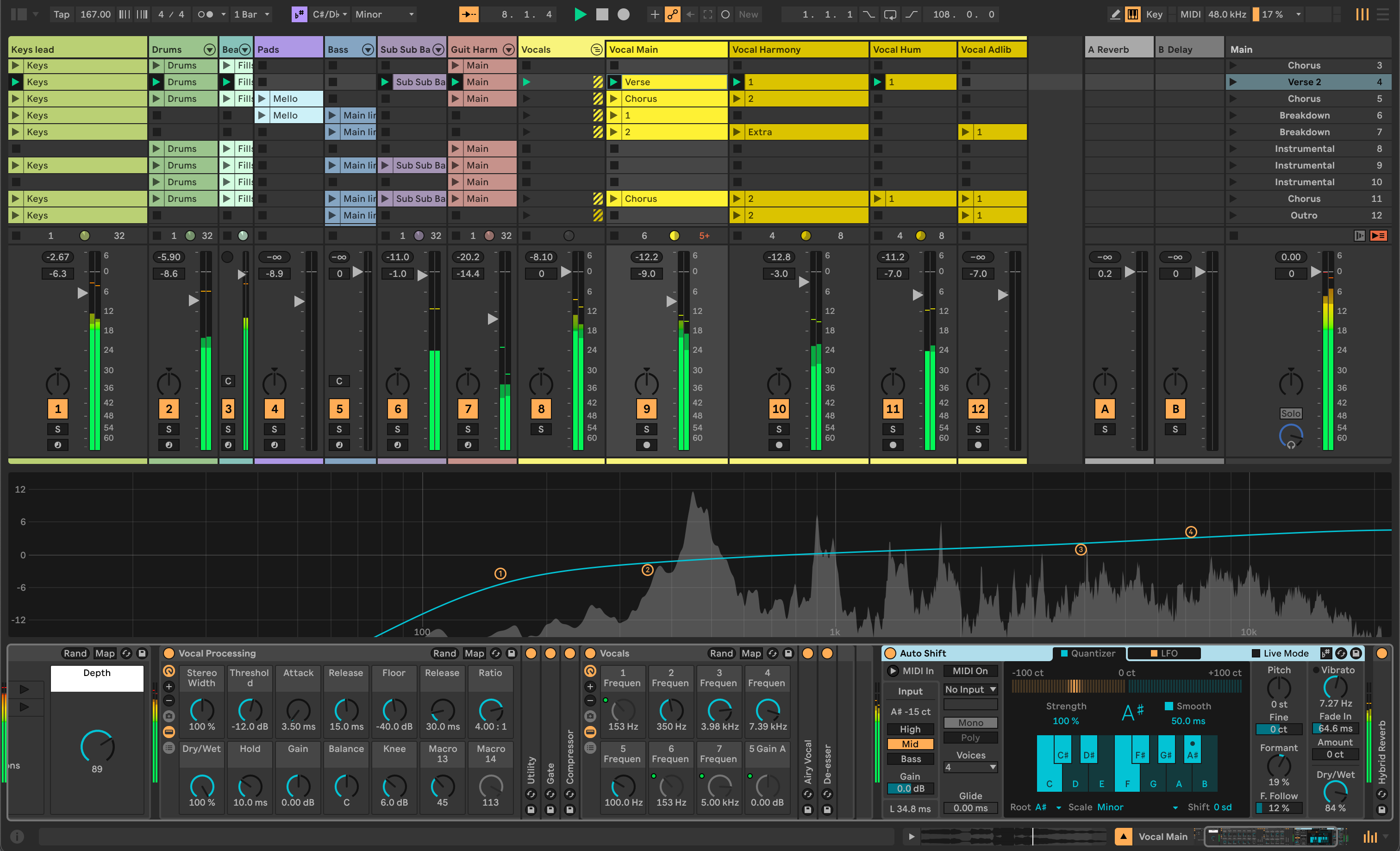
Ableton Liveis widely known for its real-time performance features, perfect for musicians who like to improvise and create on the fly. It offers incredible flexibility with its live looping, MIDI setup, and easy-to-navigate interface.
- Platform: Windows, macOS
- Format: Standalone DAW
- Price: $99 – $749
- Free Trial: Yes (30 days)
- Best For: Performers who improvise and use live looping
- Not Ideal For: Traditional piano students or those only needing a simple piano sound
- Pros: Rock-solid stability for live use; limitless routing options
- Cons: Expensive for the full version; steep learning curve for non-producers
Pianoteq 8 - Best Overall For Expressive, Physics-Based Sound
Quick Review Of The Pianoteq Stage 8 Virtual Piano Plugin
Pianoteq 8uses physical modelling synthesis, meaning it mathematically simulates how piano strings, hammers, and the soundboard interact in real time. The result is a sound that responds to touch the way a real instrument does - not a recording of one.
For a composer sketching a solo piano piece, this matters enormously. Sample-based pianos replay recorded notes; Pianoteq generates each note fresh based on how hard and how fast you press.
- Platform: Windows, macOS, Linux, iOS
- Format: Standalone + VST/AU/AAX
- Price: $269 (Standard)
- Free Trial: Yes
- Best For: Serious performers and purists who want ultimate control over their sound
- Not Ideal For: Users who prefer the "organic imperfections" of real recordings
- Pros: Smallest file size of any pro piano; infinite customization of tone
- Cons: Some find the high-end frequencies sound slightly "synthetic."
Pianoteq 9
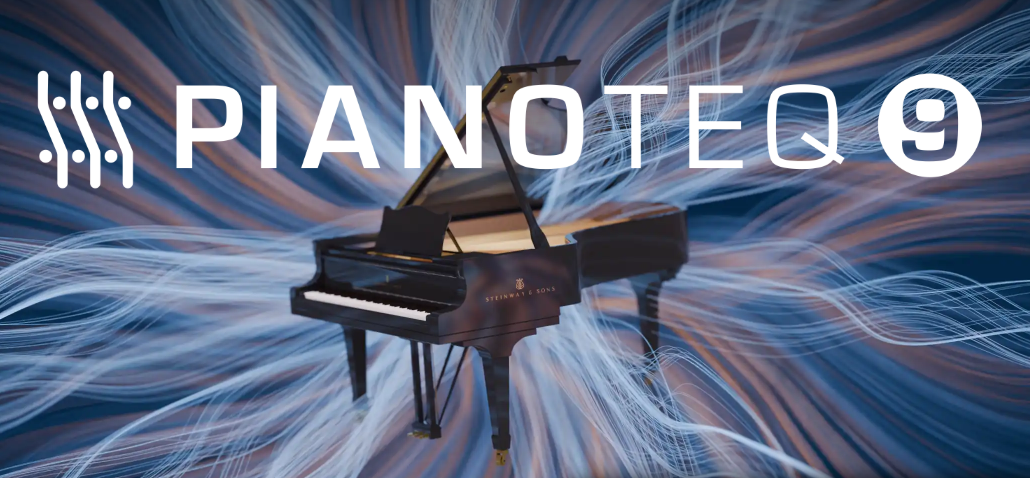
Pianoteq 9utilizes an advanced physical modeling engine to generate sound in real-time by simulating the vibration of strings, the resonance of the soundboard, and the mechanical interaction of the hammers.
Unlike sample-based libraries that rely on dozens of gigabytes of pre-recorded audio, this software uses mathematical algorithms to recreate the organic behavior of an acoustic instrument.
The latest iteration introduces a redesigned soundboard model, which significantly enhances the spatial depth and stereo imaging of the pianos to make them feel more physically present.
- Platform: Windows, macOS, Linux, iOS
- Format: Standalone + VST/AU/AAX
- Price: $269 (Standard)
- Free Trial: Yes
- Best For: Performers and composers who require maximum dynamic expression and a minimal storage footprint
- Not Ideal For: Producers who prefer the specific "vibe" and baked-in room character of traditional sample recordings
- Pros: Extremely small file size (under 55MB); unmatched touch responsiveness; new 3D microphone placement and cinematic presets
- Cons: High-frequency transients can still feel slightly clinical compared to top-tier sample libraries
Keeping Latency Under Control - A Quick Checklist For Performers
Latency above 20ms is perceptible and disruptive during live performance. Under 10ms is the practical target.
- Use an audio interface with ASIO drivers (Windows) or Core Audio (Mac)
- Set your buffer size to 64 or 128 samples to start
- Close all background applications before performing
- Test your complete rig, audio interface, software, and MIDI controller - before any live date
- If you notice a delay, reduce the buffer size; if you hear audio dropouts, increase it slightly
Best Piano Software For Learners
Learning pianowith software works best when the tool gives you immediate, honest feedback on what you played, and keeps you motivated enough to come back tomorrow. These five apps do that better than anything else on the market.
Simply Piano By JoyTunes - Best Structured Learning App For Absolute Beginners
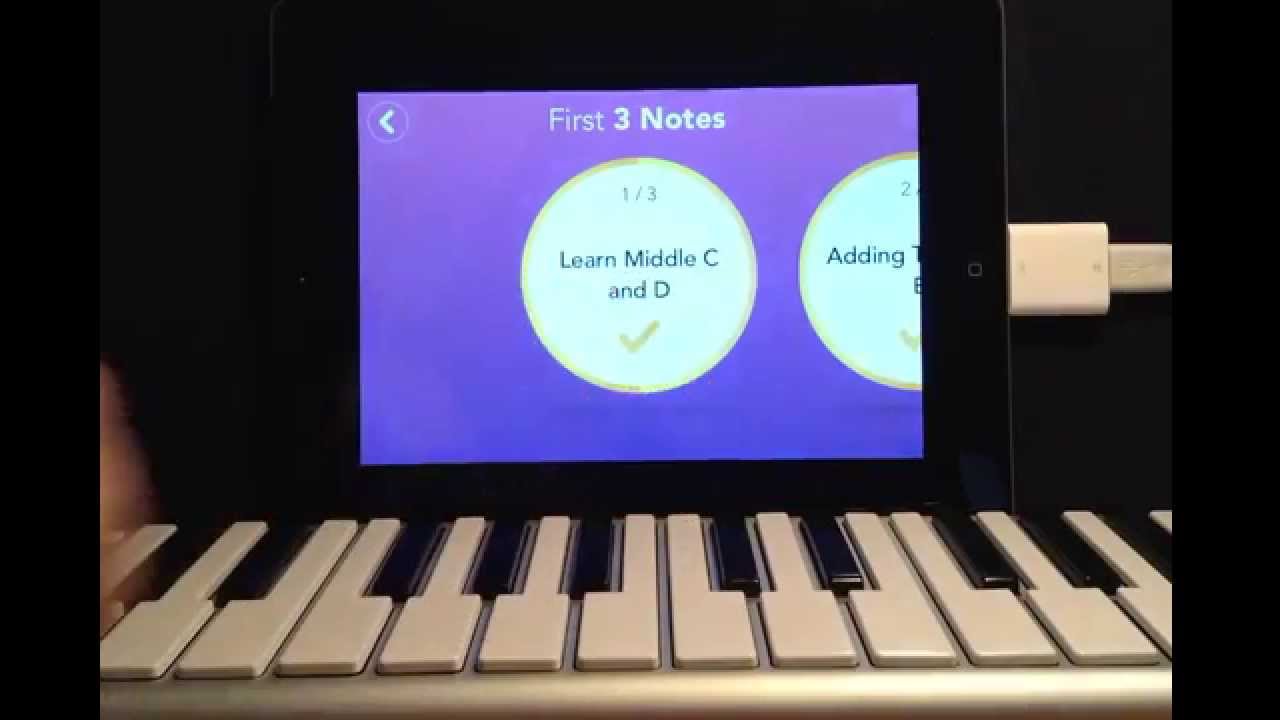
How to use "Simply Piano" by Joytunes app!
Simply Pianouses your phone or tablet microphone to listen as you play and tells you in real time whether each note was correct. The curriculum progresses from reading a single note to playing full songs across both hands, making it the most complete beginner pathway in this category.
A first-time learner who has never touched a keyboard can sit down with Simply Piano and be playing a recognizable melody within the first session. The app rewards consistency, daily streaks, progress charts, and a growing song library, keeping motivation high.
- Platform: iOS, Android
- Format: Mobile App
- Price: $169.99/year or $17.99/mo
- Free Trial: Yes (7 days)
- Best For: Absolute beginners and children who need motivation
- Not Ideal For: Intermediate players or those who want to learn deep music theory
- Pros: Highly addictive and fun; excellent for building initial muscle memory
- Cons: Audio recognition can struggle with background noise; expensive annual cost
Flowkey - Best For Song-Driven Learners
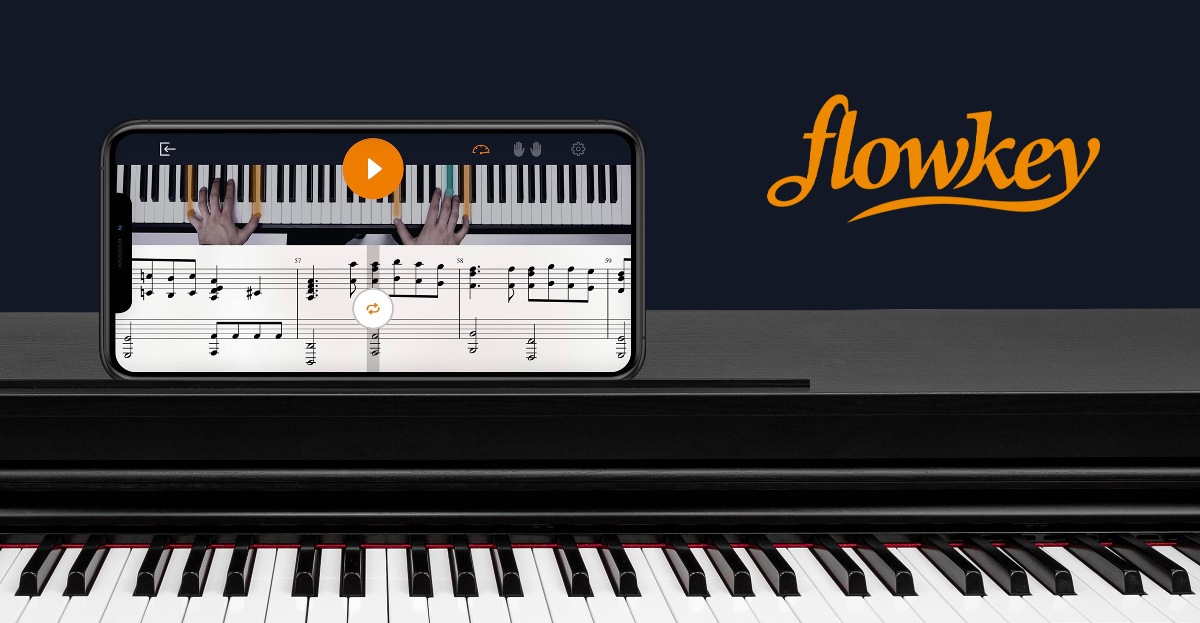
Flowkey prioritizes repertoire. Its library spans over 1,500 songs across classical, pop, jazz, and film, with real-time note detection via microphone or MIDI. If your motivation for learning piano is to play songs you love, Flowkey keeps that goal front and centre.
The learning mode slows down and automatically repeats sections you are struggling with, a feature learners consistently highlight as one of Flowkey's most effective design choices.
- Platform: iOS, Android, Browser
- Format: App/Web
- Price: $19.99/mo or $119.88/year
- Free Trial: Yes
- Best For: Casual learners who want to play their favorite songs quickly
- Not Ideal For: Students who want a rigorous, classical curriculum
- Pros: High-quality video lessons; "Wait Mode" is very effective for beginners
- Cons: Less focus on finger technique and theory than other apps
Playground Sessions, Best For Adult Learners
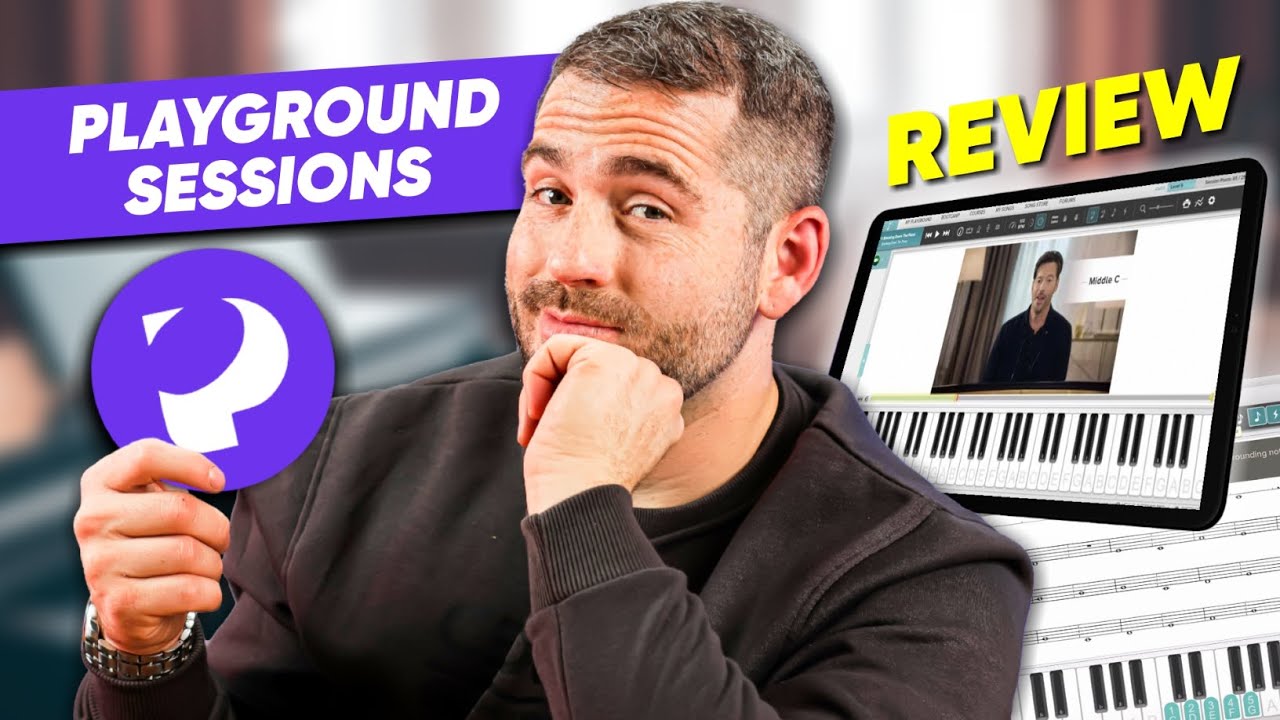
Playground Sessions Review: Is Simply Piano Better Then Playground Sessions?
Playground Sessionswas co-developed with Harry Connick Jr. and takes a structured, video-based approach to piano education. The curriculum is organized into tracks by skill level, each with exercises, songs, and scoring to show how accurately you played.
The gamified scoring system, which the app grades each performance, works particularly well for self-directed adult learners who want accountability without a live teacher. It covers music theory more thoroughly than most competing apps.
- Platform: Windows, macOS, iOS
- Format: Standalone App
- Price: $19.99/mo or $89.99/year
- Free Trial: Yes
- Best For: Adult learners who want a structured, classroom-style feel
- Not Ideal For: Very young children or those who dislike video-heavy lessons
- Pros: Comprehensive curriculum; strong focus on reading sheet music
- Cons: The interface feels a bit dated compared to Simply Piano
Synthesia - Best For Visual, Song-Focused Learning
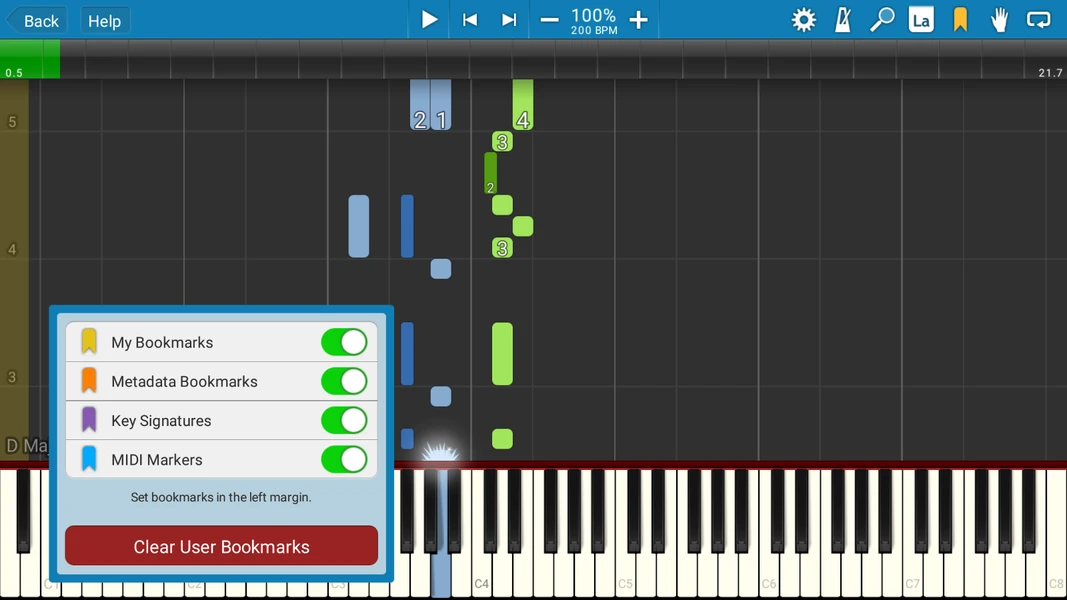
Synthesia uses falling-note visuals, like a vertical version of Guitar Hero, to show you which keys to press and when. It is one of the oldest and most recognizable piano learning tools available and supports the import of MIDI files, meaning you can load virtually any song you want to learn.
It is worth being direct: Synthesia does not teach music theory or technique in any meaningful way. What it does do is help you learn specific songs quickly and entertainingly. For a learner whose only goal is to play a particular piece for friends or family, that is often enough.
- Platform: Windows, macOS, iOS, Android
- Format: Standalone App
- Price: $29 (one-time)
- Free Trial: Yes
- Best For: Visual learners and hobbyists who just want to play a specific song
- Not Ideal For: Anyone serious about becoming a professional pianist
- Pros: Very low cost; supports any MIDI file you find online
- Cons: Does not teach sheet music; can encourage poor hand posture
Piano Marvel - Best For Serious Students Wanting Measurable Progress
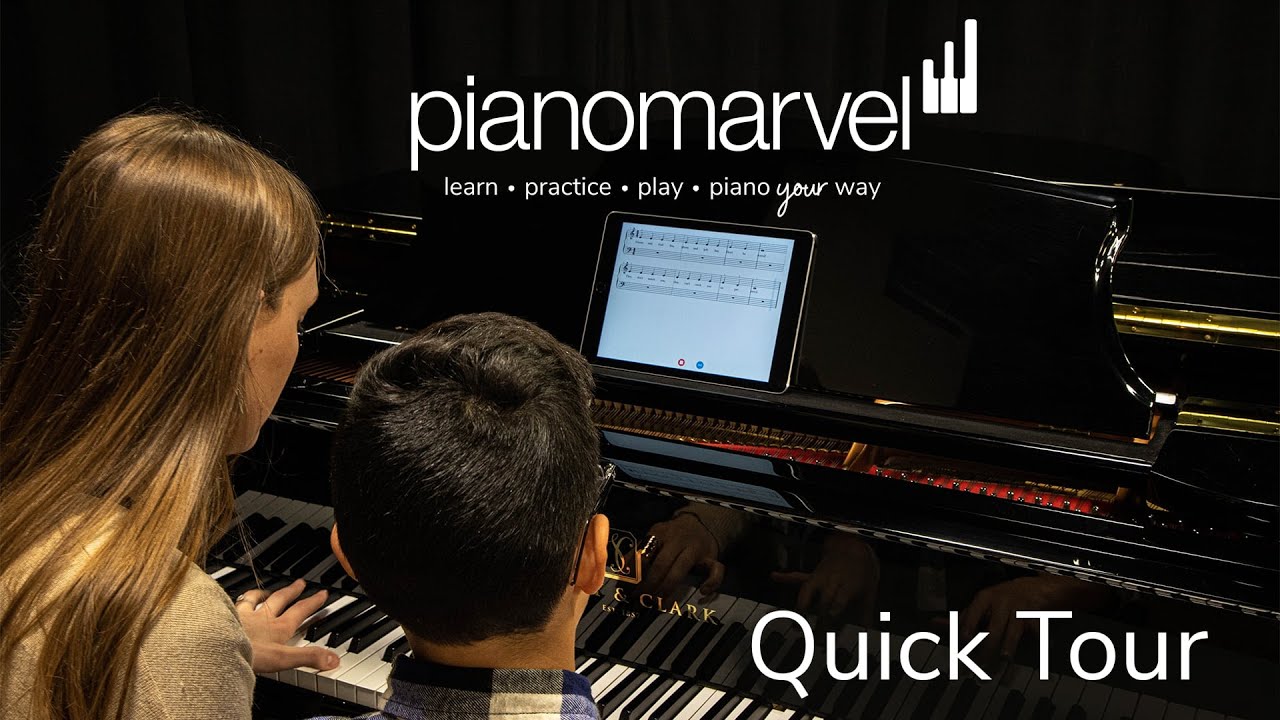
Piano Marvel Quick Tour
Piano Marvelis built around its SASR rating system, which measures how accurately you play a piece in real time and assigns a score based on note accuracy, rhythm, and timing. It functions more like a practice management system than a casual learning app.
Music teachers increasingly use Piano Marvel to assign practice, track student accuracy between lessons, and identify specific weaknesses. For a student working with a private teacher who wants data on their practice, it is the most rigorous tool in this category.
- Platform: Windows, macOS, iOS
- Format: Standalone App
- Price: $17.99/mo or $129.99/year
- Free Trial: Yes
- Best For: Dedicated students who want measurable, data-driven progress
- Not Ideal For: Casual players who just want to "doodle" or have fun
- Pros: Best sight-reading tools in the industry; massive classical library
- Cons: The visual interface is very plain and less "exciting" for kids
GarageBand
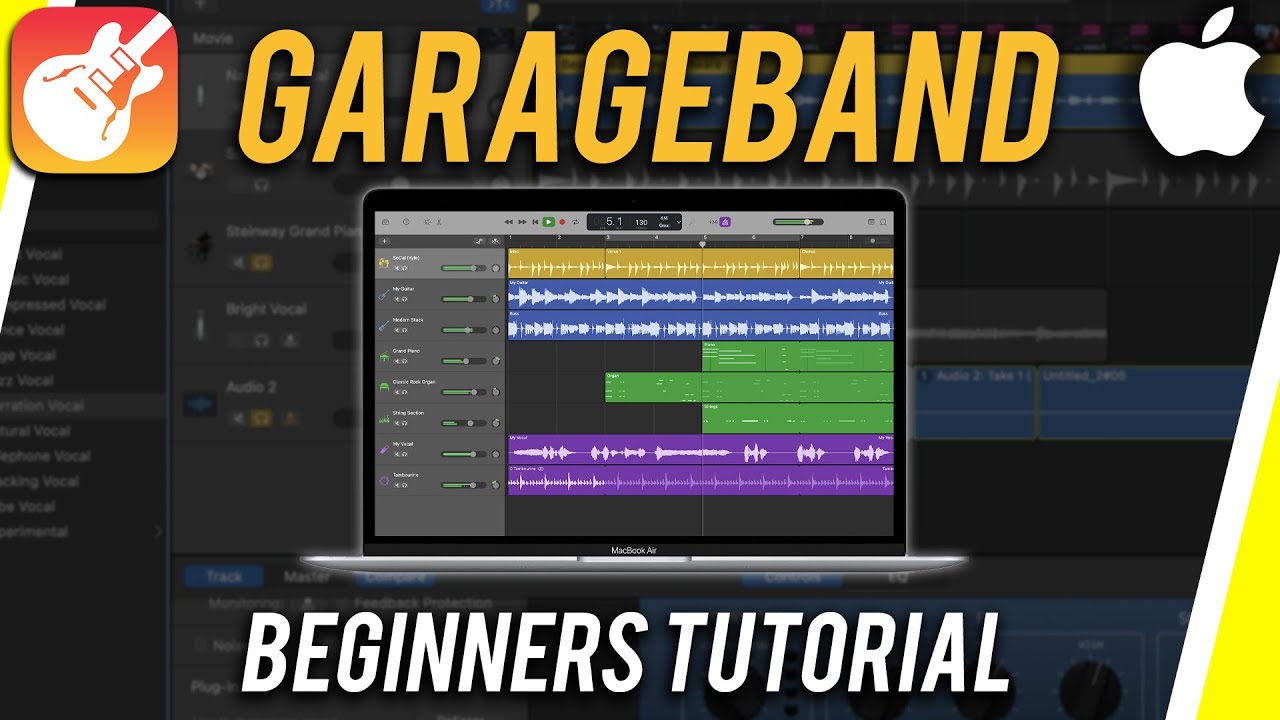
How to Use GarageBand - Tutorial for Beginners
GarageBandcomes pre-installed on every Mac and iPhone and includes a high-quality Steinway grand piano instrument, along with dozens of additional keyboard instruments. For any Apple user, it is the obvious first stop before spending money on anything else.
The iOS version, in particular, has become a genuine tool for beginner and intermediate composers. The piano keyboard is responsive, the interface is clean, and the integrated recording tools mean you can capture and develop ideas without leaving the app.
- Platform: macOS, iOS
- Format: Standalone DAW
- Price: Free
- Free Trial: N/A
- Best For: Apple users who want to try composing or learning for free
- Not Ideal For: Professional mixers or Windows users
- Pros: Completely free; very easy to use; mobile version is excellent
- Cons: Lacks advanced MIDI routing and professional mixing features
Virtual Piano
Virtual Pianois a browser-based keyboard you can play with your computer keyboard or mouse, no download, no account, and no cost. It covers a full 88-key range and supports a community-based sheet music system using letter notation.
It will not replace any of the tools above. But for a complete beginner who wants to try piano before investing in anything, or for someone who occasionally needs a quick piano sound on a work computer, it is genuinely useful.
- Platform: Web Browser
- Format: Website
- Price: Free
- Free Trial: N/A
- Best For: Quick note checks or casual play when away from a real keyboard
- Not Ideal For: Practicing actual piano technique or recording music
- Pros: Works on any computer; zero installation required
- Cons: No MIDI support; typing keys do not feel like piano keys
Essential Plugins For Piano Software
Addictive Keys
A highly popular plugin, Addictive Keys, offers rich and diverse piano sounds for both composition and performance. With its customizable presets and high-quality samples, it’s a favorite among professional musicians.
Spectrasonics Keyscape
Spectrasonics Keyscape is renowned for offering one of the most extensive and detailed libraries of keyboard sounds, from classical grand pianos to rare vintage instruments. It’s ideal for musicians looking for a wide range of piano sounds for different musical styles.
Factors To Consider When Choosing Piano Software
Choosing the right piano software depends on your needs, budget, and the hardware you’re using. Here are a few important factors to consider:
- Budget: Free software is available, but paid versions often come with advanced features that are worth the investment.
- Compatibility: Ensure the software is compatible with your existing setup, including operating systems and MIDI controllers.
- Support: Look for software with good customer support and a strong community for troubleshooting and advice.
How To Maximize Productivity With Piano Software
To get the most out of your piano software, it’s important to integrate it into your daily practice and creative process. Here are a few tips:
- Regular Practice: Use your software to enhance your daily practice routines, allowing you to improve your skills.
- Improvisation: Take advantage of real-time performance features to experiment with new sounds and ideas.
- Recording: Always record your practice and performances to review and improve.
Comparing Free Vs Paid Piano Software
While free piano software is a great starting point, professionals often find that paid software provides a more comprehensive experience. Paid options tend to offer better sound quality, more customization, and advanced tools for composing and performing.
Software Solutions For Enhancing Your Piano Composing And Performance Experience
This subheading naturally fits within the context of the article, focusing on software solutions that help both composers and performers elevate their craft. It ties directly into the overarching theme of selecting the right piano software for various needs.
See Also - How To Improve Your Piano Skills
Frequently Asked Questions
What Is The Best Piano Software Overall?
Pianoteq 8 is the strongest all-round option for its combination of expressive physical modelling, lightweight file size, and cross-platform plugin support. For learners, Simply Piano and Flowkey lead the field.
Is There Good Free Piano Software?
GarageBand is the best free option for Mac and iOS users. Virtual Piano works in any browser at zero cost. Neither matches paid tools in depth, but both are genuinely functional starting points.
What Should An Absolute Beginner Use?
Simply Piano is the most structured beginner-to-intermediate pathway. Flowkey is a strong alternative for learners motivated by song repertoire rather than a formal curriculum.
Can I Use Piano Software Without A MIDI Keyboard?
Yes. Every tool on this list includes an on-screen keyboard or computer keyboard input. A MIDI keyboard improves expression significantly, but it is not required to get started.
What Do Professional Composers Use?
Pianoteq, Keyscape, and Native Instruments The Grandeur are standard tools in professional film, TV, and studio production contexts.
What Latency Is Acceptable For Live Performance?
Under 10ms is the practical target for live piano performance. Above 20ms, the delay becomes perceptible enough to disrupt real-time playing.
Does Piano Software Work on iPad?
Yes. Simply Piano, Flowkey, GarageBand, and Ravenscroft 275 all offer strong iOS apps optimized for iPad use.
What Is The Difference Between Flowkey And Simply Piano?
Flowkey prioritizes a large song library across multiple genres. Simply Piano offers a more structured, curriculum-based learning path suited to absolute beginners.
What Is Synthesia Best For?
Synthesia is best for learning specific songs quickly through visual, falling-note guidance. It does not teach music theory or technique.
How Much Does Good Piano Software Cost?
Costs range from free to approximately $400 for professional sample libraries. Most learning apps charge between $10 and $20 per month.
Final Thoughts
The right piano software is not the most expensive one, or the most popular one. It is the one that fits the way you actually work. A composer buried in a film score needs different tools than a beginner learning their first song on a Sunday afternoon.
Take advantage of the free trials offered by Pianoteq, Flowkey, Simply Piano, Addictive Keys, and others before committing to any purchase. The tools exist, and the access has never been better. What the best version of your piano practice looks like from here is entirely up to you.