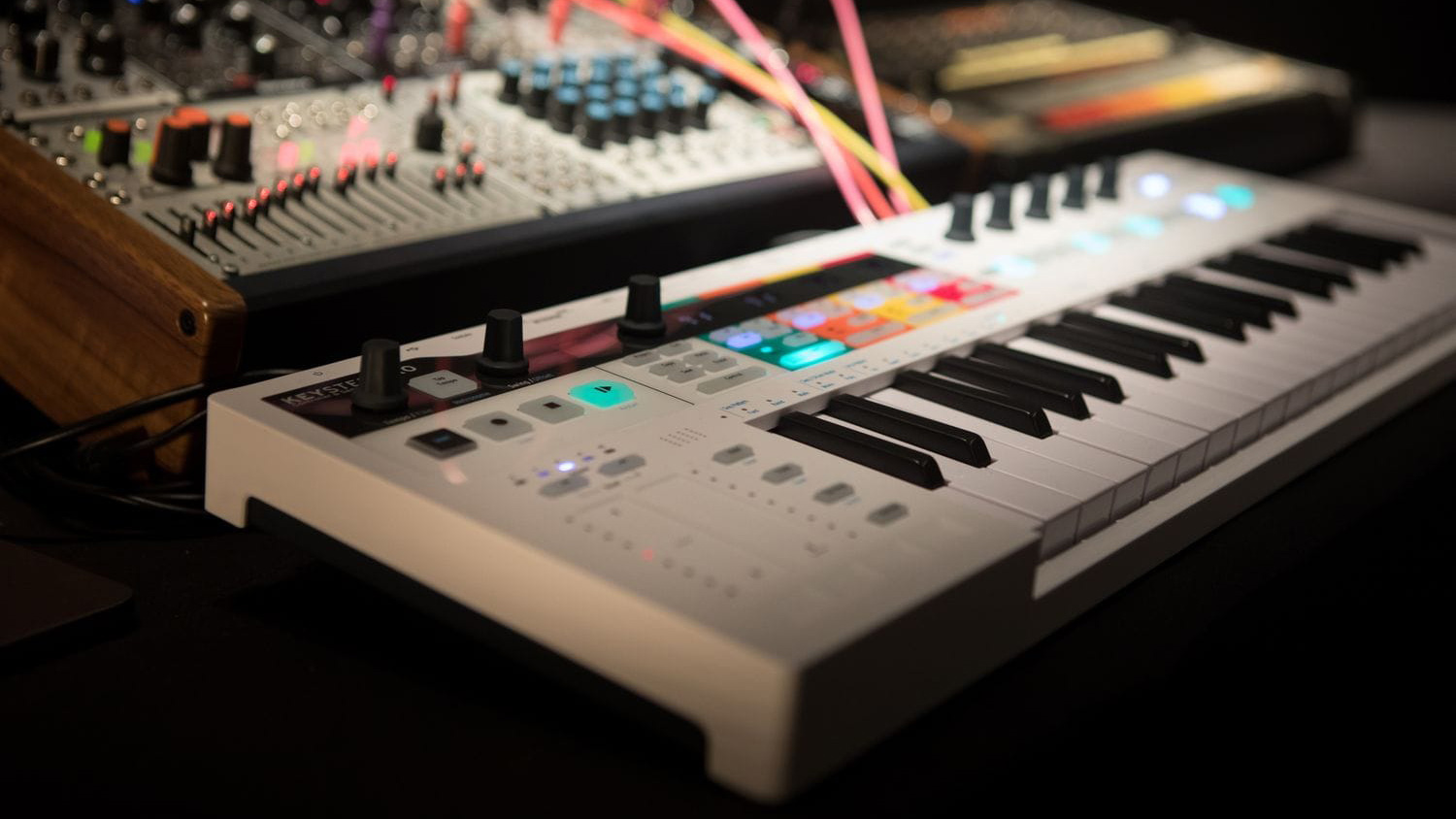
MIDI Controller Vs MIDI Keyboard: Where The “Brain” Lives
A MIDI controllersends performance/control data (notes, velocity, knob/fader moves) to software or external gear-while a “MIDI keyboard” in most store listings usually means a MIDI keyboardcontroller (a controller with keys, typically no internal sounds).
A self-contained instrument is better labeled a digital keyboard/digital piano/synth-it generates sound on its own and may also send MIDI.
In short (Key Takeaways)
- MIDI Controllers:No internal sounds; requires a computer or sound module; best for DAW-heavy production.
- MIDI Keyboards(Digitals/Synths):Built-in sound engines; works standalone; can still function as a MIDI controller.
- If you make music in a DAW, a MIDI controller (often a MIDI keyboard controller) is usually the most flexible and cost-efficient choice.
- If you want built-in sounds/speakers and to play without a computer, a digital keyboard/piano is the better fit.
- “MIDI keyboard” often means MIDI keyboard controller (keys only), not a keyboard with its own sound engine.
- Your best choice depends on sound source, playing feel, and hands-on controls (pads/knobs/faders).
- Most devices “work,” but deep DAW integration varies-verify mapping/support if workflow speed matters.
- Key priorities: key count, key action, connectivity (USB vs 5-pin), pedal support, and latency setup.
- Also worth checking before you buy: full-size vs mini keys, pedal polarity/compatibility, and whether your setup needs TRS “mini-jack” MIDI (Type A vs Type B).
Below you’ll find a comparison table, workflow examples, mistakes to avoid, a setup checklist (latency/connectivity), and FAQs.
If you want a quick “does this actually send MIDI?” sanity check before diving into DAW settings, an online midi pianois a fast way to confirm your controller is talking to your device.
If you’ve ever bought a “MIDI keyboard” and wondered why there’s no sound, you’re not alone. The naming is messy, and that’s exactly why people end up with the wrong tool.
I’ll keep this practical: you’ll leave knowing which device category matches your workflow-and what specs actually matter-without needing five more tabs open.
What Is MIDI?
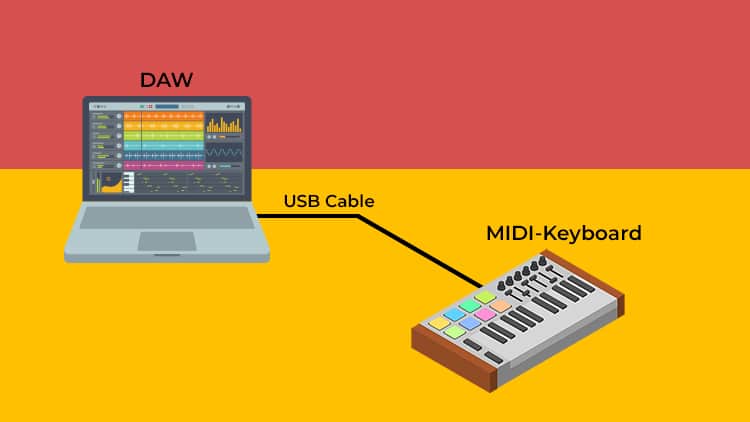
MIDI, or Musical Instrument Digital Interface, is essentially a digital language that allows musical instruments, computers, and other hardware to "talk" to one another.
Rather than recording actual audio-like the sound of a voice or a vibrating string-MIDI transmits performance data. It captures the "instructions" of a song, such as which notes were played, how hard they were hit, and how long they lasted.
Because it is data-driven rather than sound-driven, MIDI is incredibly flexible; you can record a melody on a keyboard and later change the sound from a piano to a flute, or fix a missed note, all without having to re-record the entire performance.
MIDI Controllers Vs MIDI Keyboards: What’s The Difference?
I want to give you a framework that simplifies every choice you'll make about keys, pads, and ports. It comes down to one question: where is the "brain" located?
Once you know if the sound is coming from the hardware itself or an external source, the rest of your setup practically decides itself.
What Is A MIDI Controller? (The “Remote Control” Analogy)
A MIDI controller is best understood as a remote control for music. It sends instructions-what note you played, how hard, what knob you turned-so another device can make or change sound. MIDI is “performance instructions,” not a recording of audio.
In practice, this is why a MIDI controller can be cheap, portable, and endlessly flexible: it’s not paying for speakers, amplifiers, or a sound engine.
What It Controls (software Instruments, Hardware Synths, DAW Parameters)
A controller can trigger:
- Software instruments(virtual pianos, synths, drum samplers) inside your DAW.
- Hardware synths/sound modulesvia MIDI connections.
- DAW parameterslike track volume, filter cutoff, record/stop, or automation lanes.
If you can map a parameter, a controller can usually grab it-either with auto-mapping or manual MIDI learn.
Common Controller Types (keys, Pads, Faders, Foot, Wind) - Quick Overview
Not all MIDI controllers look like keyboards:
- Keyboard controllers(keys + maybe knobs/pads)
- Pad controllers(finger drumming, clip launching)
- Fader/knob control surfaces(mixing, automation)
- Foot controllers(hands-free control)
- Wind/alternative controllers(expressive performance)
Takeaway: a MIDI controller is about control, not sound-so your “brain” lives elsewhere. Next, let’s define what people usually mean by “MIDI keyboard.”
What Is A MIDI Keyboard? (The Self-Contained Instrument)
A MIDI keyboard (in everyday speech) is often a keyboard instrument with its own built-in sounds-so the “brain” is inside the instrument. Many can also send MIDI out to control external gear or record MIDI into a DAW.
This category is why you can plug in headphones, power on, and play immediately-no laptop required.
Terminology Translator: “MIDI Keyboard” Vs “MIDI Keyboard Controller” Vs “digital Keyboard/digital Piano”
This is the biggest trap I see:
- MIDI keyboard controller:keyboard-shaped controller(usually no onboard sound).
- Digital keyboard / digital piano:keyboard-shaped instrument(onboard sound engine).
- “MIDI keyboard” (ambiguous):can mean either, depending on the store listing.
When you’re comparing midi controllers vs midi keyboards, make sure you’re comparing the right “keyboard” category: controller vs self-contained instrument.
Quick sanity check: if the listing says “MIDI controller,” “USB MIDI,” or focuses on DAW features, assume no internal soundsunless it explicitly says “built-in sounds/speakers.”
When Onboard Sounds Matter (practice, Gigs, No-computer Setups)
Built-in sounds matter when you want:
- Immediate playability(practice, teaching, casual use)
- Live reliabilitywithout a computer
- Simple monitoring(speakers/headphones built in)
Takeaway: the “brain” determines everything. Now let’s compare the two categories in the ways that actually affect your day-to-day workflow.
MIDI Controllers Vs MIDI Keyboards - What Differences Matter Most?
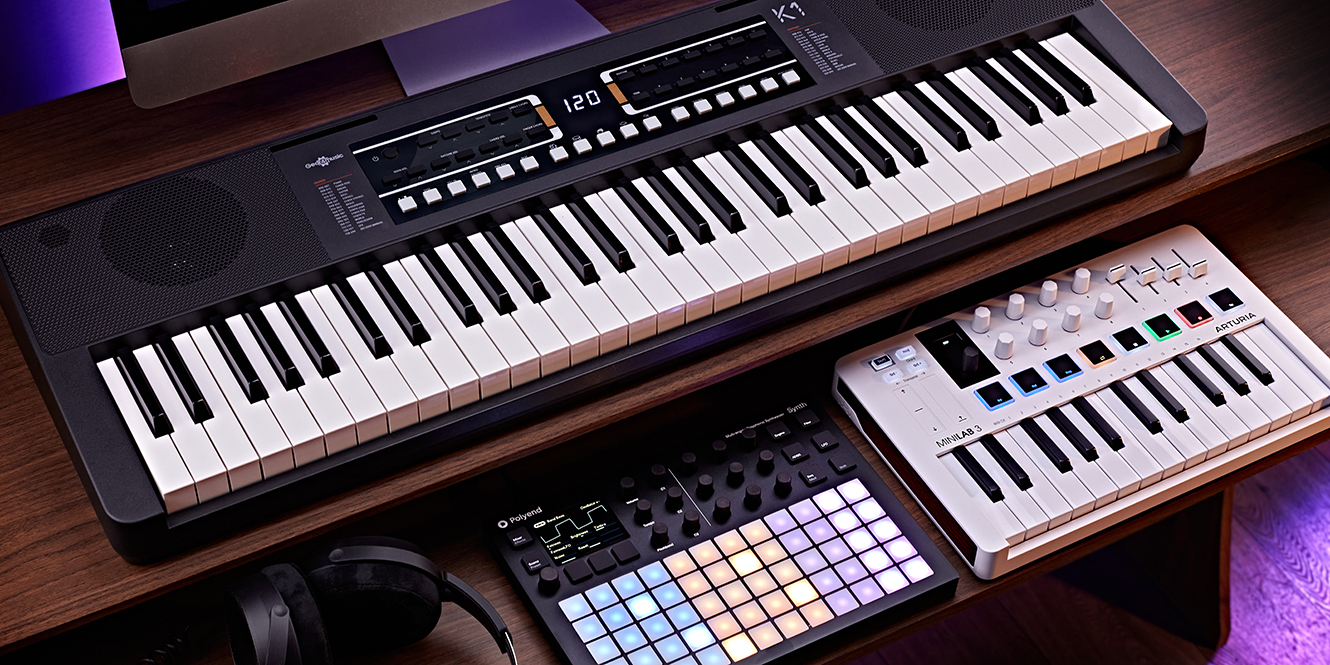
What you’ll get here:a side-by-side breakdown that eliminates fuzzy “pros/cons” and focuses on real tradeoffs: sound, setup, portability, and cost band. Once this clicks, choosing becomes a short decision, not a debate.
Comparison Table: Features, Portability, And Price
| MIDI Controller (incl. MIDI keyboard controllers) | MIDI Keyboard (self-contained digital keyboard/piano) |
| Makes sound by itself: No (needs software/hardware sound source) | Makes sound by itself: Yes (built-in sound engine) |
| Best for: DAW production, sound design, automation, controlling many parameters | Best for: Practice, performance without a computer, “turn on and play” use |
| Hands-on controls: Often strong (pads/knobs/faders/transport) | Hands-on controls: Varies; often fewer assignable controls |
| Setup complexity: Medium (DAW/app, routing, latency) | Setup complexity: Low for playing; medium if integrating with DAW/hardware |
| Portability: Often high (especially 25–49 key) | Portability: Often lower (especially 88-key weighted) |
| Typical cost band: Often lower for “control per dollar” | Typical cost band: Often higher (paying for sound engine + speakers + keybed) |
| Upgrade path: Add software instruments, more controllers, templates | Upgrade path: Add MIDI out usage, external sounds, or a second controller |
The core difference shows up most sharply when you understand sound vs data-so let’s make that unmistakable next.
Sound Generation Vs. Data Transmission
If you remember one technical point, make it this: MIDI is not audio. MIDI describes performance events and control changes-your sound comes from whatever device interprets those messages.
That’s why a MIDI controller can “play” a piano plugin without containing a single piano sample inside it.
MIDI ≠ Audio (the Beginner Misunderstanding That Causes “no Sound”)
When someone says “my MIDI keyboard has no sound,” the usual cause is simple: they bought a controllerand expected an instrument. MIDI alone can’t be heard; it has to drive a sound source.
Once you separate “data” from “sound,” your buying decision becomes dramatically safer.
What You Need To Make Sound (minimum Setup Checklist)
Minimum working setups:
- Computer/iPad/phone + instrument app or DAW+ a virtual instrument plugin/app (for example, a vst for midi keyboards).
- Hardware sound module or synththat receives MIDI and generates audio.
- Headphones/speakersconnected to the device making the audio.
Optional-but often helpful:
- Audio interfacewhen you want lower latency and cleaner monitoring (especially with demanding projects).
If you like starting from MIDI performances (instead of playing everything in), bookmark the best websites to get midiso you’re not hunting random files with broken timing or weird mappings.
Quick MIDI Message Cheat-sheet (why Your Knobs/pedals Actually Work):
- Notes + Velocity = what you played + how hard (dynamics).
- CC (Control Change) = knobs/faders/pedals controlling parameters (filter, volume, etc.).
- Pitch Bend = smooth bends/slides without touching a knob.
- Program Change = switch patches/sounds on hardware and some software setups.
Where Do Synthesizers Fit? (Synth Vs Keyboard Vs MIDI Controller)
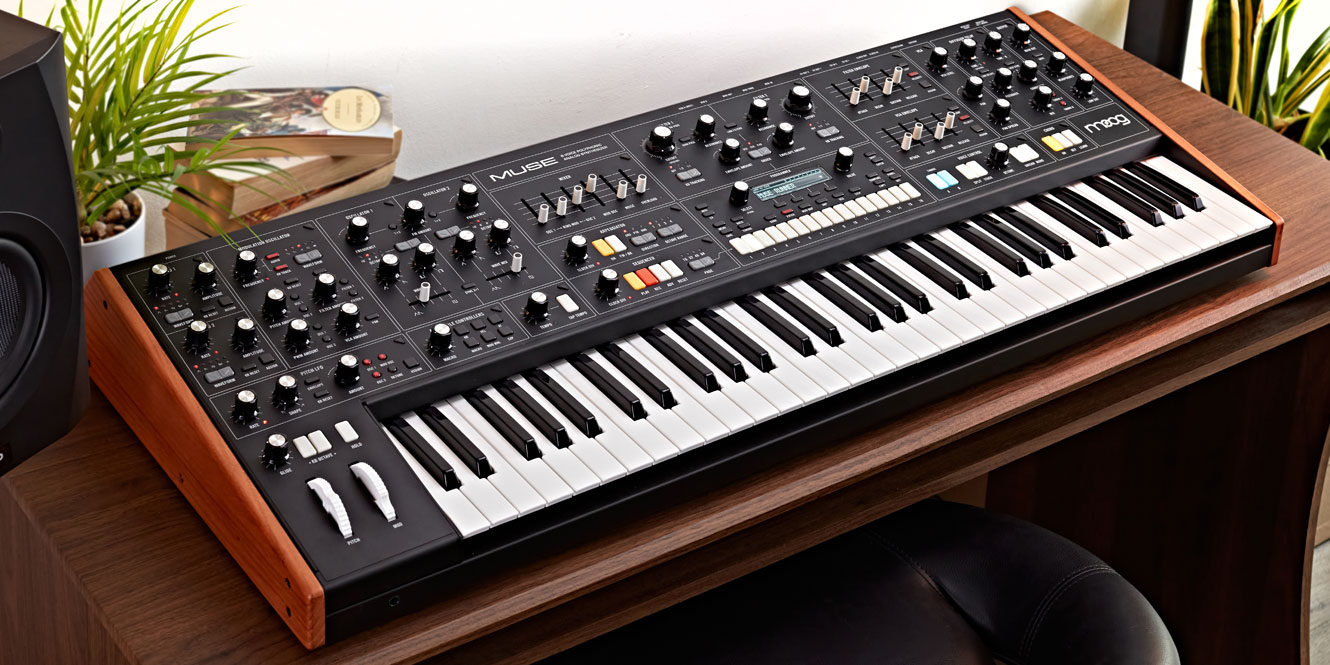
This is where people cross-wire categories:
- A synthesizeris primarily a sound engine(it may have keys or not).
- A digital keyboard/digital pianois a self-contained instrumentdesigned around playability.
- A MIDI controlleris a control devicethat plays or manipulates sound made somewhere else.
One important overlap: a synth with keys is often BOTH a sound engine and a controller. It can generate sound internally, and also send MIDI out to control software or other hardware.
Now that “what makes sound” is clear, the next step is matching the device category to your workflow, not someone else’s.
Which One Should You Choose For Your Workflow?
To help you shop with a clear head, let’s look at three standard ways to work. Identifying which path you're on makes the decision-making process easy, shifting the focus away from "cool features" and back to the way you prefer to create.
The Bedroom Producer (Why A Controller Wins)
If your sound lives in a DAW-virtual synths, sampled pianos, drum racks-a MIDI controller usually gives you more creative control per dollar. You’re paying for performance input and hands-on parameters, not duplicated onboard sounds.
A common mistake I see is choosing a beautiful self-contained keyboard, then still reaching for the mouse constantly in the DAW because there are no practical knobs/pads mapped to your instruments.
Minimal Setup Recommendation (controller + DAW + Headphones)
A reliable starter chain:
- MIDI controller → computer/tablet → DAW or instrument app → headphones/speakers.
- Add an audio interface if you’re fighting monitoring delay or recording audio.
What To Prioritize (pads/knobs, DAW Mapping, Portability)
For producers, the “wins” are:
- Knobs/encodersfor sound design and automation.
- Padsfor drums and clip launching.
- DAW integrationthat reduces mapping time and speeds recording/editing.
Integration reality check:
- Does your DAW support it as a “control surface” (script/profile), or is it manual MIDI learn only?
- Do transport controls (play/stop/record) work without remapping every project?
- Are the knobs endless encoders (better for pickup) or fixed pots (can “jump” values)?
- Is there an editor app for saving templates/mappings?
Quick DAW Setup Checklist (works In Most DAWs, Not Just One):
1) Plug in the controller and confirm your computer/tablet “sees” it in MIDI devices.
2) In DAW MIDI settings, enable the controller for note input (often called Track/Keys/Instrument input).
3) Enable the controller for control/mapping (often called Remote/Control).
4) Load an instrument on a track and arm/monitor that track so the DAW passes MIDI to the instrument.
5) If transport/knobs don’t work automatically, select a control-surface script/profile if available; otherwise use MIDI Learn/Mapping.
If you perform like a pianist first, your priorities shift-especially around key action and reliability.
The Performing Pianist (Why A MIDI Keyboard Wins)
If your main goal is to sit down and play-practice, lessons, performance-a self-contained keyboard (often a digital piano) is usually the better fit. The sound engine, speakers/headphone out, and key action are built around playing, not mapping.
You can still record MIDI later, but you’re not blocked by software setup on day one.
What To Prioritize (key Action, Speakers, Reliability)
Pianist-first priorities:
- Hammer/weighted actionif you’re building piano technique.
- Consistent sound and feelacross sessions.
- Simple monitoring(headphones out, built-in speakers if you want them).
When You Still Want MIDI Features (recording, Soft Synth Control)
Many self-contained keyboards can:
- Send MIDI to your DAW for clean editing and instrument swapping.
- Act as the “main keys” while a second controller handles pads/knobs.
If you’re both producing and playing, the hybrid setup is often the sweet spot.
The Hybrid Setup (The Best Of Both Worlds)
The hybrid approach is often the most satisfying long-term: you get real playabilityfrom a good keybed plus fast controlover drums, mixing, and automation.
This is also how you avoid the “either/or” trap: you choose the best tool for each job.
Common Hybrid Rigs (digital Piano + Pad/knob Controller)
Two common patterns:
- Digital pianofor main keys + pad controllerfor drums/clips.
- Digital pianofor keys + fader/knob surfacefor mixing/automation.
If You’re Controlling Hardware (DAWless): Prioritize 5-pin DIN, Power, And MIDI Routing
If you’re running a hardware synth/drum machine rig without a computer:
- 5-pin DIN MIDIbecomes more important than “DAW scripts.”
- Consider how you’ll route signals (MIDI Thru, interfaces, or a central hub).
- Make sure your controller can be powered reliablyin your setup (USB host vs wall power).
Routing upgrade (saves hours):MIDI has 16 channels-think of channels as 16 “lanes.” If two devices share the same channel (or a synth is in Omni mode), you may trigger multiple instruments at once. Set your controller’s transmit channel and your synth’s receive channel intentionally.
USB host vs USB device(the DAWless gotcha that breaks “USB-only” setups): many MIDI controllers are USB devices, and many hardware synth USB ports are also USB devices. Two USB devices usually can’t talk directly. You need a USB host (computer, iPad/tablet with the right adapter, or a dedicated USB MIDI host box), or you should use DIN/TRS MIDI between hardware.
Before we move to specs, lock this in-your workflow decides the category; specs decide the exact model.
7 Mistakes People Make When Buying Their First MIDI Controller Or Keyboard
Here are the mistakes that cause the most regret (and the quickest returns):
- Buying a controller expecting built-in sound, or buying onboard sound when you only needed control.
- Choosing too few keys for the parts you want to play (or too many for your space).
- Ignoring key action when your goal is piano technique.
- Overpaying for controls you won’t touch after week two.
- Assuming “works with any DAW” means deep integration and auto-mapping.
- Forgetting pedal inputsor needed adapters.
- Blaming the keyboard for latency caused by audio settings.
- Mistake that’s increasingly common: buying a controller with TRS “mini-jack” MIDI without checking whether it needs a Type A or Type B adapter.
Takeaway: once you avoid these mistakes, the rest is a simple feature checklist-so let’s make that checklist practical.
What Key Features Should You Look For?
I’ve narrowed this down to the few specs that actually impact how you play: key action, count, controls, integration, and pedals. Focusing on these essentials ensures you aren't paying for fluff while making sure you don't overlook what really matters.
Keybed Action: Synth Vs. Semi-Weighted Vs. Hammer Action
Key action determines how your hands relate to the music. It’s not “better vs worse”-it’s “matched vs mismatched” for your goal.
A producer playing basslines might prefer light keys for speed, while a pianist practicing dynamics needs heavier action for control.
Match The Action To Your Goal (piano Technique Vs Production Speed)
Rules of thumb:
- Hammer/weighted:best for piano technique and dynamic control.
- Semi-weighted:a middle ground for general playing and production.
- Synth action:fast, light, often great for leads, bass, and quick parts.
- Also decide:full-size vs mini keys. Mini keys boost portability but can slow chord accuracy and two-hand technique if you’re practicing piano-style parts.
Aftertouch (when It Matters, When It Doesn’t)
Aftertouch is extra expressive control you get aftera key is pressed-useful for vibrato, filter sweeps, or modulation without reaching for a knob. Many workflows never need it; sound designers and expressive players often love it.
If it’s rare in your budget, don’t chase it unless you know you’ll map it. Extra nuance (worth knowing):some devices support channel aftertouch (one pressure value for all notes), while higher-end/expressive gear may support per-note expression via MPE (MIDI Polyphonic Expression) for bends/timbre/pressure per note. If you’re not doing expressive sound design, you can ignore MPE safely.
Action is feel; key count is range. Together they decide what you can comfortably play.
Key Count: 25 Vs 49 Vs 61 Vs 88 (what You Gain/lose)
Key count is about how often you’ll hit a limitation. More keys reduce workarounds; fewer keys increase portability.
A safe way to choose is to base it on the most complex part you regularly want to play with two hands.
Octave Shift Reality Check (and Why It Matters For Two-hand Playing)
Small controllers rely on octave buttons. That’s fine for:
- One-hand melodies
- Basslines
- Short chord stabs
It’s frustrating for:
- Two-hand piano parts
- Wide voicings
- Live performance where octave switching breaks flow
Once keys are right, your next decision is how you’ll control drums, sound design, and mixing without living on the mouse.
Beyond The Keys: Faders, Knobs, And Drumpads
Extra controls are only valuable if they match your workflow. The best setups make your hands do more of the work your brain already wants to do.
Best Uses (drums, Sound Design, Mixing, Automation)
Quick mapping of controls to use cases:
- Pads:finger drumming, clip launching, step-style patterns.
- Knobs/encoders:synth parameters, FX sends, automation writing.
- Faders:mixing levels, expression-style control, long automation moves.
- Transport buttons:record/play/stop without reaching for the keyboard/mouse.
Look for velocity curve options (or pad sensitivity settings) if you finger-drum-being able to tame “too loud” hits makes practice and recording feel far more natural.
The Importance Of DAW Integration (Auto-Mapping)
“DAW integration” usually means the controller can automatically connect its knobs/faders/transport to common DAW functions, reducing manual mapping. In Ableton, for example, controller setup and MIDI preferences determine what’s auto-detected and how control surfaces behave.
Even when basic MIDI works, deeper integration is what makes a controller feel “tight” instead of “always fiddly.”
Class-compliant Vs Drivers (what “plug-and-play” Really Means)
“Plug-and-play” depends on whether your device can use standard system MIDI handling or needs extra software for advanced features:
- Some controllers are largely class-compliantfor basic note/control messages.
- Others need drivers or companion apps for full integration, custom modes, or firmware features.
On Apple platforms, Core MIDI is the system framework that enables MIDI communication, including over Bluetooth, which is why many devices work smoothly once connected.
There’s one more “feel” detail that gets overlooked constantly-pedals-so let’s cover that before troubleshooting.
Pedal Inputs (sustain/expression) And Why They Matter
If you play piano-style parts, a sustain pedalisn’t a luxury; it’s part of the instrument. Expression pedals can also be powerful for swells, filter moves, and orchestral dynamics.
Before you buy, check:
- Does it have a sustain (damper) pedal input?
- Does it support expressionif you want foot-controlled dynamics?
- Do you need a polarity switch or compatible pedal type?
Takeaway: once you’ve matched keys/controls/pedals to your workflow, the last big “make or break” is avoiding setup headaches-latency and connectivity.
How Do You Avoid Technical Headaches? (Latency + Connectivity)
Let’s run through the quick checks that solve 80% of those frustrating "why isn't this working?" moments. These are the exact fixes that help beginners push through the learning curve instead of packing it in and quitting.
Can I Use A Traditional Keyboard As A MIDI Controller?
Often, yes. If your keyboard can send MIDI, it can control software instruments or hardware gear.
The practical difference is that many traditional keyboards aren’t built for hands-on DAW control-so you may get great keys but fewer assignable controls.
What It Must Have (USB-MIDI Or MIDI Out)
Look for:
- USB-MIDI(simple connection to computer/tablet)
- Or 5-pin MIDI out(for hardware gear, or via an interface)
If it has neither, it can’t function as a controller in a standard MIDI setup.
What You May Miss Vs A Controller (assignable Controls, Tight DAW Mapping)
Typical tradeoffs:
- Limited knobs/faders/pads
- Less flexible templates
- More manual mapping for DAW workflows
The next choice is the port type-USB vs 5-pin-and it matters most when you mix software and hardware.
USB-MIDI Vs. 5-Pin DIN: What’s The Difference?
USB-MIDI is common for computers and tablets. 5-pin DIN is the classic MIDI connection that still dominates many hardware rigs.
The “best” one is simply the one that matches what you’re connecting to.
What You Need For Computers Vs Hardware Synths
General guidance:
- USB-MIDI:easiest for laptop/iPad/desktop workflows.
- 5-pin DIN:useful for hardware synths, drum machines, and DAWless setups.
Important modern add-on: TRS (“mini-jack”) MIDI
Some gear uses a 3.5mm TRS MIDI jack instead of 5-pin DIN. It looks like an audio jack, but it’s MIDI-so you may need a TRS-to-DIN adapter. Check whether the device uses TRS MIDI Type A or Type B before you buy cables/adapters, because Type A/B wiring isn’t interchangeable.
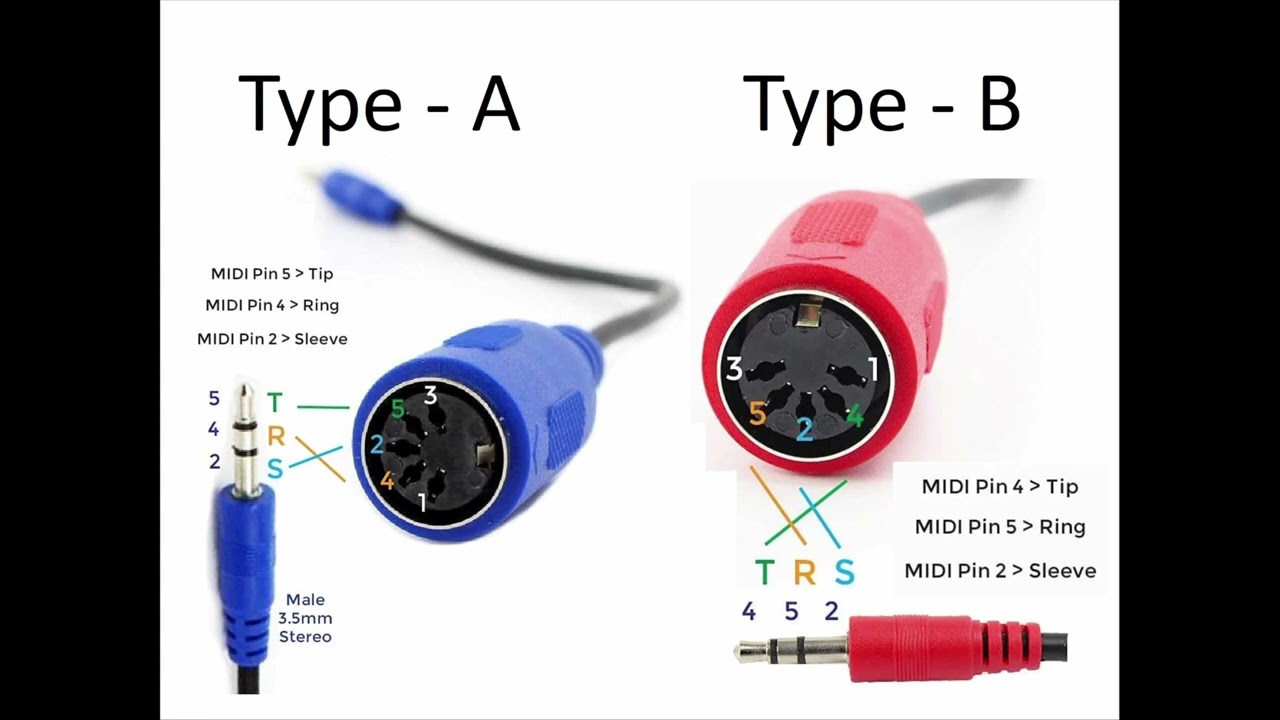
MIDI TRS Type A vs Type B explained
When You Need A MIDI Interface/adapter
You’ll likely need an interface/adapter when:
- Your computer/tablet lacks the right ports for your hardware.
- You want multiple MIDI devices routed cleanly.
- You’re bridging USB-only controllers to DIN-only gear.
Connectivity gets you connected; latency determines whether playing feels good-so let’s fix latency the fast way.
Latency Checklist (quick Fixes Before You Blame The Keyboard)
Latency usually comes from audio buffering: larger buffers reduce glitches but increase delay. Ableton explains this clearly: bigger buffer size generally means bigger latency.
Fast fixes:
- Lower your audio buffer sizeuntil performance becomes unstable, then back off slightly.
- Use the best driver mode available for your system (DAWs often recommend specific drivers).
- Avoid cheap USB hubs and flaky cables; plug controllers directly when troubleshooting.
- Freeze/bounce CPU-heavy tracks if your system is struggling.
If you must use a hub, use a powered USB hub-underpowered hubs are a common cause of random disconnects and “sticky” MIDI behavior.
A simple latency mental model (no math pain): approximate one-way buffer latency ≈ Buffer Size ÷ Sample Rate. Example: 256 samples at 48 kHz ≈ ~5.3 ms (one way). “Round-trip” latency (play → hear) can be higher depending on drivers and plugins.
Safe starting points for playing soft synths: try 128–256 samples; raise it if you hear crackles/dropouts; lower it if the instrument feels “behind your fingers.”
Can I Use My Phone Or IPad As A MIDI Keyboard/controller? (Bluetooth MIDI + Apps)
Yes. It can be a great sketchpad for ideas, travel, or learning basic patterns.
On Apple platforms, Core MIDI supports MIDI device communication, and Apple documents Bluetooth MIDI behavior and reconnection on modern OS versions.
Limitations to expect:
- Less tactile control than real keys/pads
- More variability in “feel,” timing, and reliability compared to a wired setup
Mobile minimum setup (so it actually works):
- Wired USB MIDI is usually the most reliable for recording and live use.
- Bluetooth MIDI is great for sketching, but expect more variability than a cable.
- Plan your adapter chain (USB-C/Lightning + hub) before you buy, especially if you’re powering the controller from the tablet.
If you’re trying to get playing fast with minimal setup, see best ways to play midi piano online.
Takeaway: once your setup is stable, the final step is turning your choice into a simple decision you can act on today.
Summary: Making The Final Decision
Do you need built-in sounds and speakers?
- Yes → you’re probably shopping for a self-contained keyboard/digital piano.
- No → a MIDI controlleris likely the smarter buy.
Are you optimizing for piano feel or DAW control?
- Piano feel → prioritize weighted action, pedal support, and stability.
- DAW control → prioritize pads/knobs/faders, templates, and integration.
What are you connecting to (computer/tablet/hardware)?
- Computer/tablet → USB-MIDIis usually simplest.
- Hardware rig → 5-pin DIN(and routing) becomes a priority.
If you’re connecting USB-only gear in a DAWless setup, make sure you have a USB host in the chain-or use DIN/TRS MIDI instead.
One-line takeaway: pick the category by workflow first, then pick the exact device by key feel, key range, controls, and ports.
FAQs
What Is The Difference Between A MIDI Keyboard And A MIDI Controller?
A MIDI keyboard is usually a type of MIDI controller with piano-style keys; “MIDI controller” can also mean pads, faders, knobs, and other control surfaces.
Is It Better To Use A Controller Or Keyboard?
Choose a standalone keyboard for built-in sounds and play-anywhere simplicity; choose a MIDI controller if you’ll play software or external gear via MIDI.
Can I Use A Keyboard As A MIDI Controller?
Often yes-if it has USB-MIDI or MIDI out, it can send note data. You may lose easy access to assignable knobs, pads, and tight DAW mapping.
Do MIDI Keyboards Make Sound On Their Own?
Most MIDI keyboard controllers don’t; they send MIDI data to a sound source (computer, tablet, or hardware module) that generates the audio.
What Are The Disadvantages Of A MIDI Keyboard?
Common downsides are no built-in sound without software/hardware, potential setup/latency issues, and limited realism on cheaper keybeds.
Do I Really Need A MIDI Controller?
Not always-mouse and typing keyboard can work. A controller helps you play parts naturally and adjust sounds faster with hands-on controls.
Can I Use A MIDI Keyboard As A Piano?
For learning technique, a digital piano with weighted keys is usually better. MIDI controllers vary widely in realism and often need software sound.
Can A Beginner Use A MIDI Keyboard?
Yes. Many beginners start with 25–49 keys; prioritize reliable connectivity, decent key feel, and simple setup over “feature overload.”
What Key Count Should I Get: 25, 49, 61, Or 88?
25 is portable for beats, 49 works for basic two-hand parts, 61 supports fuller arrangements, and 88 matches piano range and technique goals.
What’s More Important: Keys Or Pads/knobs?
Keys matter most for melodic playing. Pads/knobs matter most for drums, sampling, and fast sound/automation control.
USB Vs 5-pin MIDI: Which Do I Need?
USB is easiest for computers/tablets. 5-pin is useful for hardware synths and DAWless rigs, or via a MIDI interface/adapter.
Will It Work With My DAW (Ableton/FL Studio/Logic)?
Most devices work at a basic level. “Deep integration” depends on control surface support, scripts, and how much mapping you’re willing to do.
What Is A DAW Controller Vs A MIDI Keyboard?
DAW controllers focus on mixing/transport and workflow controls. MIDI keyboards focus on playing notes, sometimes with extra DAW controls.
Can I Use My Phone As A MIDI Keyboard?
Yes-apps can send MIDI to a DAW, and Bluetooth MIDI is supported on modern Apple OS versions. Expect less tactile expressiveness than real keys.
What Should I Buy First: MIDI Controller Or Digital Piano?
If you’re learning piano: digital piano first. If you’re producing in a DAW: MIDI controller first-unless you need weighted keys for technique.
Final Thoughts
Choosing between a MIDI controller and a MIDI keyboard depends entirely on your relationship with the computer. If the laptop is the center of your universe, a MIDI controller provides the tactile "knobs and sliders" experience necessary for modern production.
However, if you value the ability to sit down and play music without a screen-or if you require the authentic touch of a piano-a MIDI keyboard is the superior investment. Many producers eventually find that a hybrid setup, utilizing a small controller for drums and a full-sized keyboard for melodies, offers the most creative freedom.
Start by defining your primary goal: are you building a song, or are you playing an instrument? Your answer lies in that distinction.