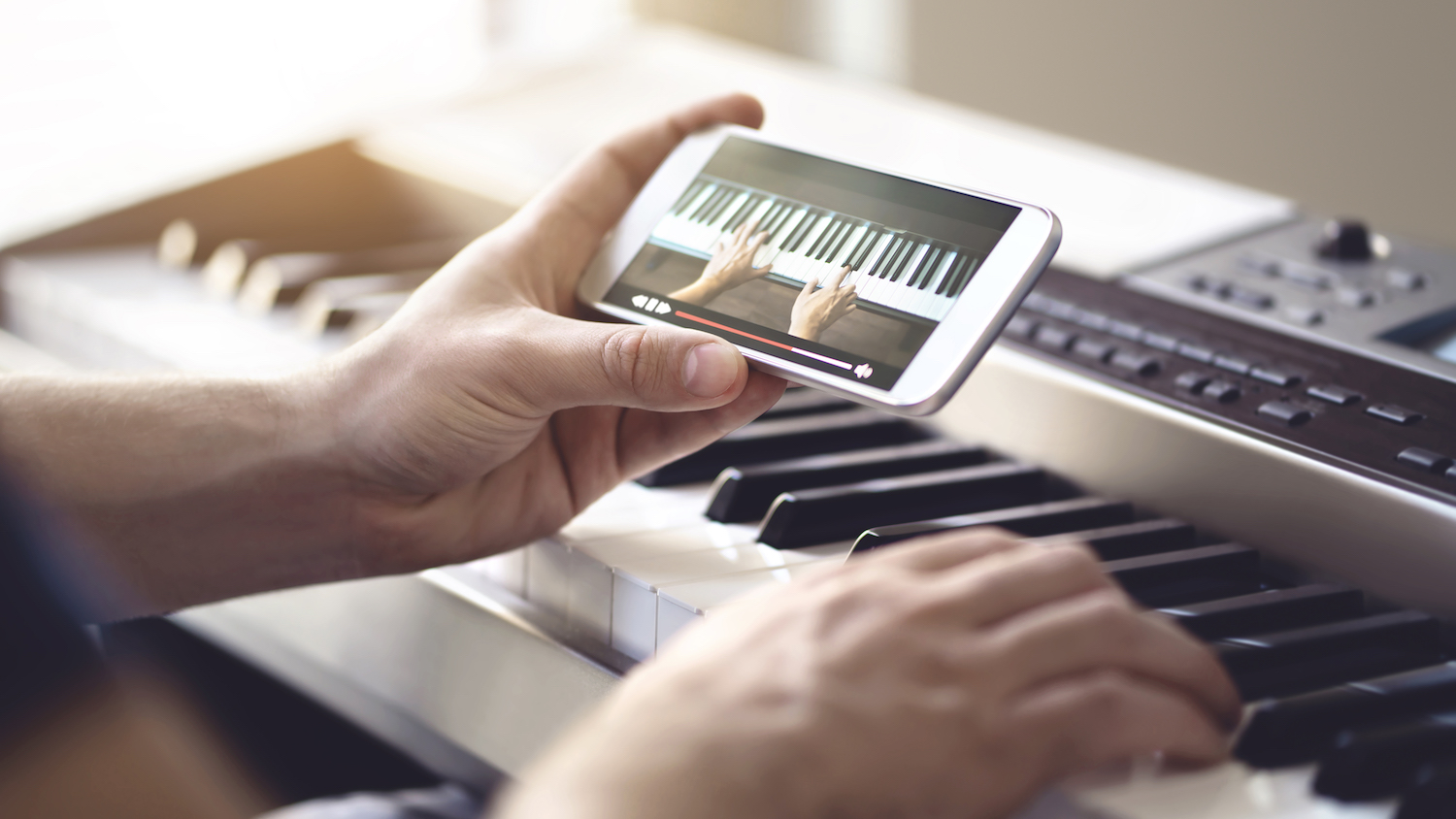
Best Apps For Learning Piano For All Skill Levels
Learning pianotoday is easier than ever, but choosing from the top apps for learning pianois where most people get stuck.
When I first looked into piano apps, I quickly realized they’re not all built the same. Some focus on playing songs but skip the basics. Others teach theory, but feel slow and hard to follow. A few try to do everything, yet don’t do anything particularly well.
Most beginners don’t struggle because piano is too hard; they struggle because they’re using the wrong app.
I spent time reviewing and comparing the leading options, focusing on how they teach, who they’re best for, and what actually helps you make steady progress.
Here, I’ll walk you through 20 of the best piano learning apps so you can choose one that fits your level, goals, and learning style.
How I Reviewed The Top Piano Learning Apps
I didn’t just look at popularity or ratings. I focused on what actually helps someone learn.
For each app, I looked at:
- How lessons are structured
- How feedback works (real-time or not)
- Ease of use for beginners
- Whether it helps you stay consistent
- How quickly you can make real progress
Some apps are great for playing songs. Others are better for building skills. My goal was to understand where each one fits best so you don’t waste time choosing the wrong one.
Why Most People Choose Piano Apps Instead Of Lessons
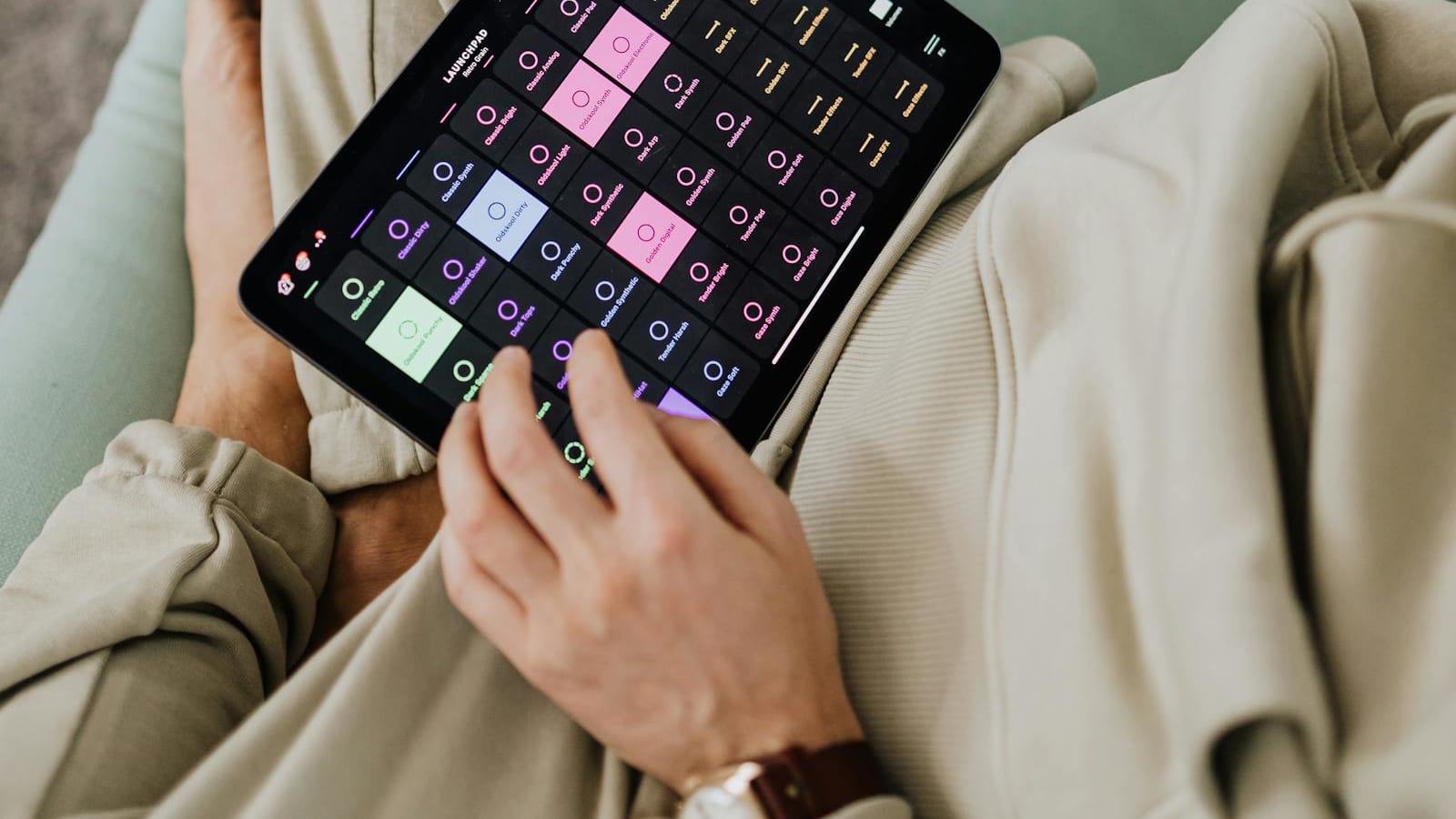
From what I’ve seen, most people don’t avoid piano because they don’t care; they avoid it because traditional lessons are not always practical.
Apps solve that:
- You can learn anytime
- You don’t need to travel
- It’s much cheaper than a teacher
- You can go at your own pace
That flexibility is what helps most beginners stay consistent. And consistency matters more than anything when learning piano.
What Actually Matters In A Piano Learning App
Not all apps are equal. These are the things that actually make a difference:
- Lesson Structure:If lessons are random, you’ll feel lost. Good apps guide you step by step.
- Real-Time Feedback:Apps that listen to your playing help you fix mistakes faster.
- Engagement:Some apps are fun and gamified. Others are more serious. Choose what keeps you consistent.
- Song Library:Learning songs keeps you motivated.
- Progress Tracking: Seeing improvement helps you stay committed.
Let’s break down each app so you can choose the one that actually helps you improve.
1. Simply Piano - Best For Beginners
- Best for:Complete beginners who want a simple and guided start
- Not ideal for:Advanced players who want deep technique training
- Subscription:Around $17.99/month or $169.99/year
- Features:Step-by-step lessons, real-time feedback, progress tracking, mobile-friendly design
- Content:Beginner to intermediate lessons, chords, melodies, popular songs
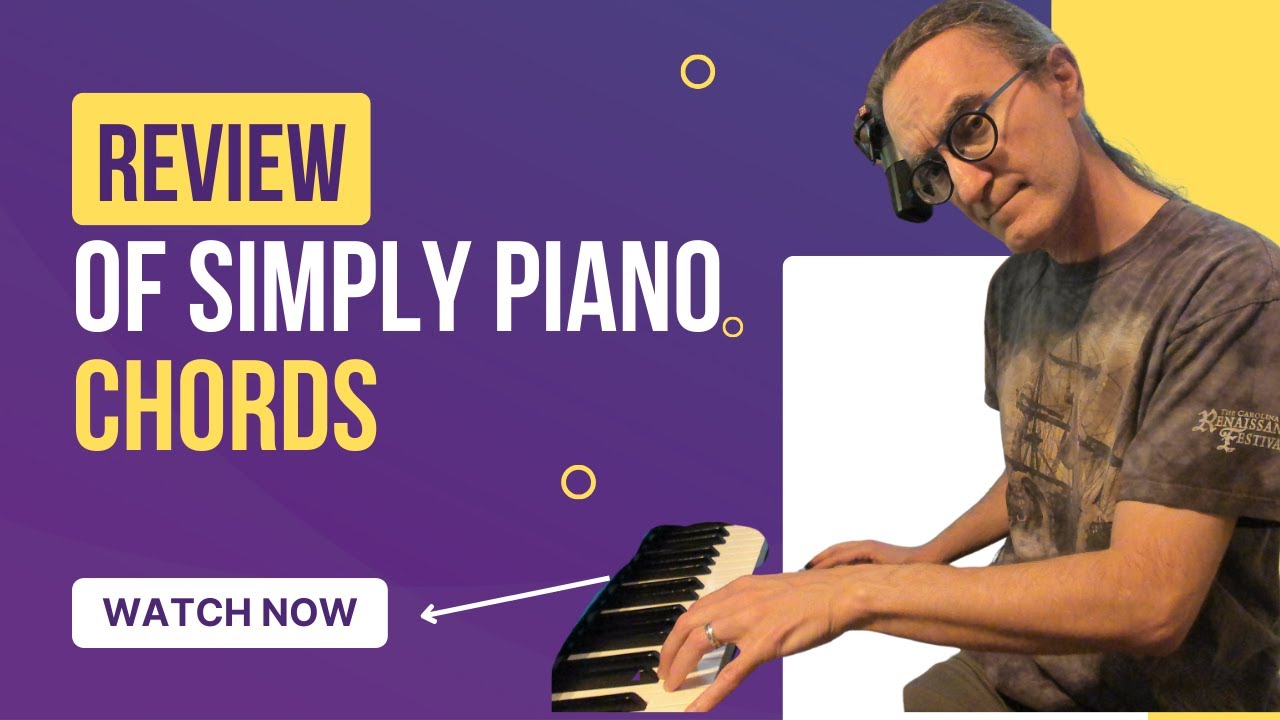
Simply Piano Review: A Piano Teacher’s Honest Opinion (2026)
When I first tried Simply Piano, what stood out immediately was how easy it makes everything feel. You don’t need any prior knowledge. The app walks you through each step in a way that feels natural, not overwhelming.
One thing I like is how it listens to your playing and tells you right away if something is wrong. That kind of feedback is very useful when you’re learning on your own.
The lessons are divided into clear paths, so you always know what to do next. You’re not guessing or jumping between topics.
From my experience, this is one of the best starting points if you’ve never played before. It helps you build confidence quickly, which is important early on.
What I Liked
- Very easy to follow, even with no experience
- Clear lesson progression that keeps you on track
- Instant feedback helps correct mistakes early
What I Didn’t Like
- Feels limited once you move past beginner level
- Less focus on deeper technique and theory
If you want to go from zero to playing simple songs quickly, this is a strong place to start.
2. Flowkey - Best For Learning Songs
- Best for:Learning real songs quickly and visually
- Not ideal for:People who want a structured, step-by-step course
- Subscription:Around $19.99/month (varies by plan)
- Features:Large song library, video tutorials, slow playback, hands-separate practice
- Content:Classical, pop, movie soundtracks, and guided song lessons
Flowkey takes a different approach. Instead of focusing heavily on lessons, it focuses on songs.
What I found useful is that you watch a real pianist play, and you follow along. You can slow down the tempo, repeat sections, and practice one hand at a time. This makes learning feel more natural and less stressful.
It works especially well if you’re motivated by playing music you recognize. You’re not stuck doing exercises for too long; you’re actually playing.
However, it doesn’t guide you as much as some other apps. If you’re completely new, you may need a bit of patience at the start.
What I Liked
- Huge variety of songs to choose from
- Visual approach makes learning easier to follow
- Flexible practice tools like slow mode and looping
What I Didn’t Like
- Not as structured as other apps
- Less focus on building long-term technique
I recommend this if your goal is to enjoy playing songs early and stay motivated.
3. Yousician - Best For Gamified Learning
- Best for:Staying consistent and building a daily habit
- Not ideal for:People who prefer a traditional or theory-focused approach
- Subscription:Around $19.99/month (premium plan)
- Features:Real-time scoring, gamified lessons, progress tracking, practice challenges
- Content:Exercises, skill-building drills, and songs
Yousician feels more like a game than a lesson. As you play, it scores your performance and tracks your progress.
From what I’ve seen, this makes a big difference for consistency. You’re not just practicing, you’re trying to improve your score, which keeps things engaging.
It also includes exercises designed to build your skills step by step. While some parts can feel repetitive, that repetition helps strengthen your foundation.
The main difference is that it doesn’t feel like a traditional learning method, which may not suit everyone.
What I Liked
- Very engaging and motivating
- Helps build a regular practice habit
- Clear feedback through scoring system
What I Didn’t Like
- Can feel repetitive over time
- Less focus on deeper understanding and theory
If you struggle to stay consistent, this is one of the best options.
4. Skoove - Best For Structured Learning
- Best for:Learners who want a clear, long-term learning path
- Not ideal for:People who want quick results without much explanation
- Subscription:Around $14.99-$19.99/month
- Features:Step-by-step lessons, real-time feedback, guided practice, theory integration
- Content:Progressive lessons, technique training, guided songs

Skoove Piano learning App - Review
Skoove feels more like a complete piano course than just an app. It focuses on building your skills step by step, with a strong emphasis on understanding what you’re playing.
What I like about it is that it explains things clearly, not just what to press, but why you’re playing certain notes. This helps you build real understanding over time.
The lessons move at a steady pace, which can feel slower at first, but it leads to stronger progress in the long run.
It also includes music theory, which many apps skip. That makes it a better choice if you want more than just basic skills.
What I Liked
- Clear and structured learning path
- Good balance between practice and theory
- Helps build long-term skills
What I Didn’t Like
- Slower pace compared to other apps
- Less focused on quick wins or instant results
If you want to learn properly and build solid skills, this is one of the best choices.
5. Piano Academy - Best For Kids
- Best for:Kids and beginners who need a simple introduction
- Not ideal for:Intermediate or advanced learners
- Subscription:Free with optional upgrades
- Features:Interactive lessons, visual guidance, simple exercises
- Content:Basics, note reading, rhythm, beginner songs
Piano Academy keeps things simple, which is exactly what makes it effective for beginners and kids.
The app focuses on teaching the basics in a clear and friendly way. You learn note reading, rhythm, and simple techniques without feeling overwhelmed.
From what I’ve seen, it works well for younger learners because the lessons are easy to follow and not too demanding.
It doesn’t go very deep, so you’ll likely need another app later on. But as a starting point, it does its job very well.
What I Liked
- Very simple and easy to understand
- Great starting point for kids and beginners
- Focuses on building basic skills
What I Didn’t Like
- Limited content for more advanced learners
- Lacks depth compared to other apps
If you’re just starting or learning with a child, this is a safe and simple option.
6. Playground Sessions - Best For Intermediate Learners
- Best for:Intermediate players who want to improve with real songs and structured lessons
- Not ideal for:Complete beginners who need very simple guidance
- Subscription:Around $17.99/month or $149/year
- Features:Song-based lessons, video instruction, real-time feedback, MIDI keyboard support
- Content:Pop, rock, classical songs with guided lessons and technique training
When I looked into Playground Sessions, it felt more serious than most piano learning apps. It’s designed for people who already understand the basics and want to improve through real music.
What makes it different is the combination of structured lessons and actual songs. You’re not just practicing exercises, you’re learning songs while building technique at the same time.
One thing I recommend is using it with a MIDI keyboard. The feedback becomes much more accurate, which helps you improve faster.
What I Liked
- Strong balance between song-based learning and skill development
- Accurate feedback when using MIDI
- Feels more like a professional learning system
What I Didn’t Like
- Not very beginner-friendly
- Requires a keyboard setup for the best experience
I recommend this if you already know the basics and want to take your skills further with real songs.
7. Perfect Piano - Best Free Option
- Best for:Casual practice and beginners who want a free starting point
- Not ideal for:Structured learning or long-term progress
- Subscription:Free (with optional in-app purchases)
- Features:Virtual keyboard, multiplayer mode, MIDI support
- Content:Basic practice tools, simple songs, keyboard simulation
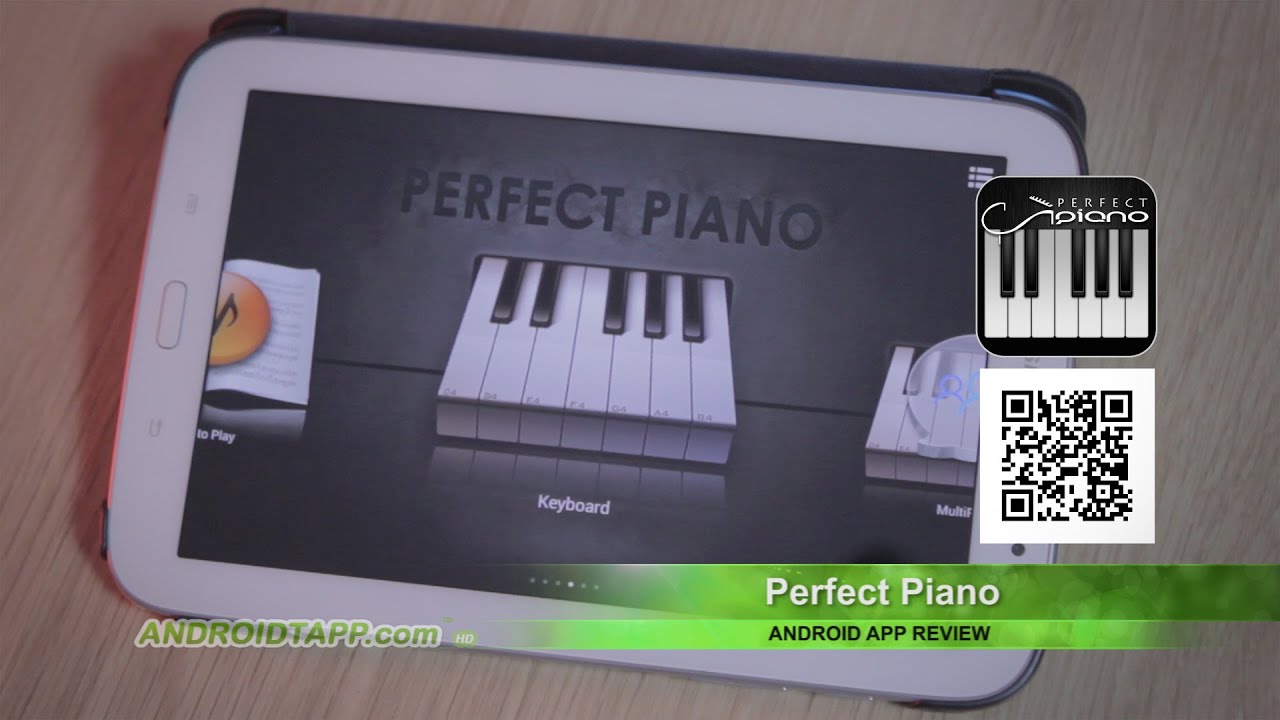
Perfect Piano (Android App Review)
Perfect Piano is one of the most accessible free piano apps I’ve tried. You can start playing right away, even without a real instrument.
The virtual keyboard is useful if you just want to explore how the piano works. It’s simple and easy to use, which makes it a good entry point.
However, it doesn’t guide you step by step like other apps. There’s no clear learning path, so it’s more for practice than actual learning.
From my experience, this works best as a supplement, not your main app.
What I Liked
- Completely free and easy to access
- Useful for quick practice or experimentation
- Works without a real piano
What I Didn’t Like
- No structured lessons
- Limited support for real skill development
I recommend this if you want a simple way to explore or practice casually without spending money.
8. Pianote - Best Instructor-Led Learning
- Best for:Learners who prefer real teaching and detailed explanations
- Not ideal for:People who want instant feedback while playing
- Subscription:Around $20/month or $197/year
- Features:Video lessons, guided courses, expert instruction, community support
- Content:Beginner to advanced lessons, technique, theory, song tutorials
Pianote feels very different from most online piano lessonsapps because it focuses on human teaching instead of automation.
You learn through video lessons taught by real instructors. They explain concepts clearly, which makes it easier to understand not just what to play, but why.
From what I’ve seen, this works really well if you prefer learning through explanation rather than trial and error.
The only downside is that it doesn’t give real-time feedback like some apps. You need to be more aware of your playing.
What I Liked
- Clear explanations from professional teachers
- Strong focus on technique and music theory
- Feels like a real lesson experience
What I Didn’t Like
- No instant feedback while playing
- Less interactive than other apps
I recommend this if you prefer a more traditional learning approach with real guidance.
9. Piano In 21 Days - Best For Fast Results
- Best for:Beginners who want to start playing songs quickly
- Not ideal for:People who want deep theory or classical training
- Subscription:One-time payment (around $97-$197)
- Features:Step-by-step video lessons, chord-based system, simple learning structure
- Content:Beginner lessons, chord progressions, song-based practice
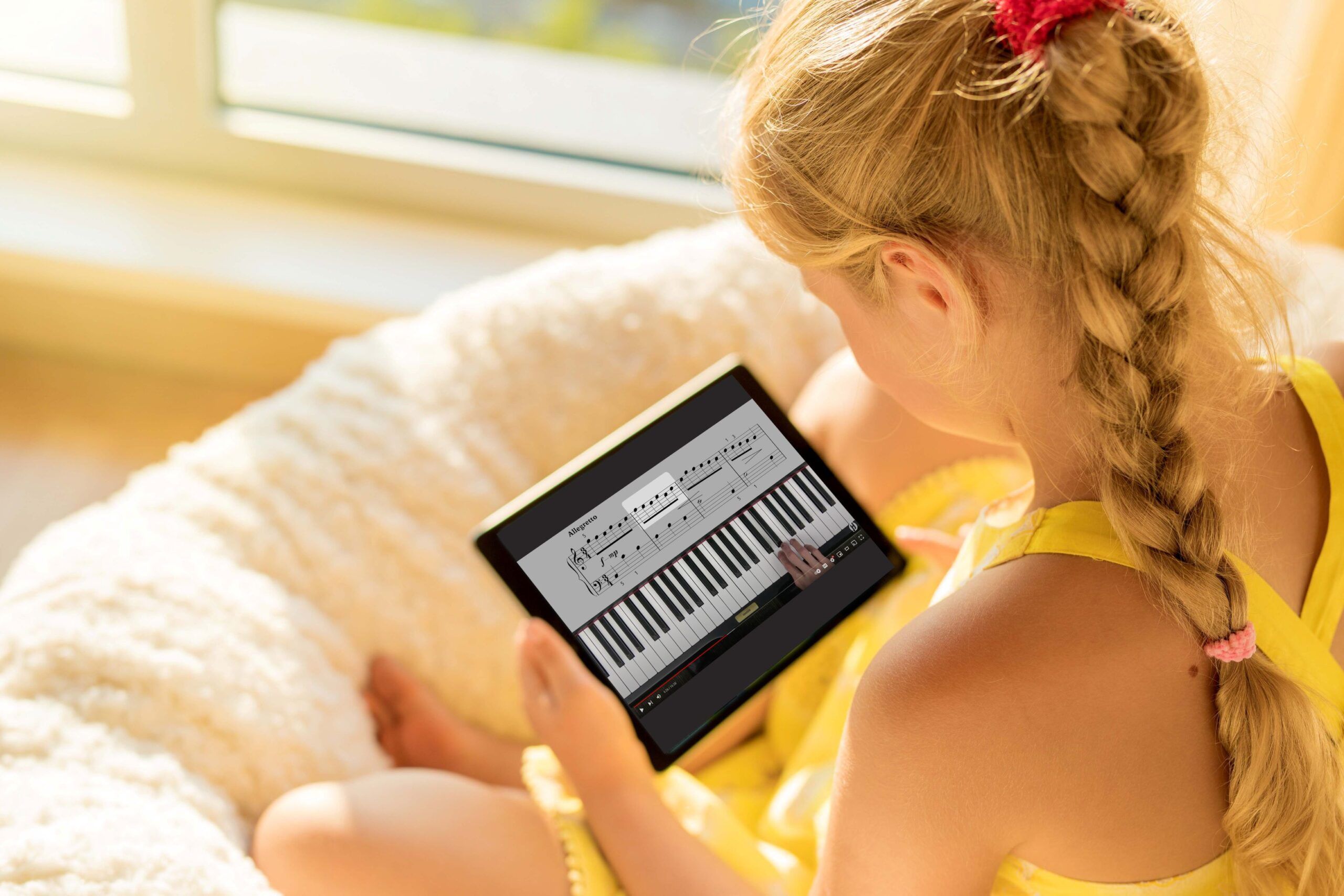
Piano in 21 Days focuses on helping you play quickly, not perfectly. Instead of starting with heavy theory, it uses a chord-based piano learning method. This allows you to play songs faster without needing to read complex sheet music.
From my experience, this is a good approach if you want quick wins. You can start playing simple songs in a short time, which keeps you motivated.
However, it doesn’t go very deep into theory or technique. So if you want to become a more advanced player, you may need something else later.
What I Liked
- Helps you play songs quickly
- Simple and easy-to-follow system
- Good for building early confidence
What I Didn’t Like
- Limited focus on theory and technique
- Not ideal for long-term advanced learning
I recommend this if your goal is to start playing songs quickly without getting overwhelmed.
10. Musora - Best For Community And Support
- Best for:Learners who want guidance, support, and interaction
- Not ideal for:People who prefer fully automated learning
- Subscription:Around $20/month (annual) or $30/month
- Features:Instructor-led lessons, live sessions, community forums, personalized feedback
- Content:Structured courses, song tutorials, multi-instrument learning
Musora stands out because it goes beyond a typical piano learning app. It combines lessons with a strong community and access to real instructors.
What I found interesting is that you’re not learning alone. You can ask questions, join discussions, and even get feedback from teachers and other learners.
This creates a more supportive environment, which helps you stay consistent. It also includes structured lessons, similar to Pianote, but with more interaction.
What I Liked
- Access to real teachers and community support
- Interactive learning environment
- Strong combination of lessons and guidance
What I Didn’t Like
- More expensive than basic apps
- Less focused on instant feedback systems
I recommend this if you want a more complete learning experience with real support, not just an app.
11. Yokee Piano - Best For Casual Playing
- Best for:Casual users who want a fun and relaxed way to play
- Not ideal for:Serious learners who want structured progress
- Subscription:Free with optional in-app purchases
- Features:Song-based gameplay, virtual keyboard, simple interface
- Content:Popular songs, play-along experience

Yokee Piano for Android Review
When I tried Yokee Piano, it felt more like entertainment than a full piano learning app. You follow along with songs using a virtual keyboard, similar to rhythm-based games.
It’s very easy to start. You don’t need prior knowledge, and you can jump straight into playing songs. This makes it appealing if you just want to have fun without pressure.
However, it doesn’t really teach you how to play piano in a structured way. You’re following patterns rather than learning technique or theory.
From my experience, this works best as a light, enjoyable way to interact with music, not as your main learning tool.
What I Liked
- Very simple and easy to use
- Fun and engaging for casual play
- Good for quick entertainment
What I Didn’t Like
- Lacks structured piano lessons
- Limited value for real skill development
I recommend this if you just want to relax and play music without focusing on learning deeply.
12. Piano Marvel - Best For Advanced Players
- Best for:Intermediate to advanced learners who want to improve technique
- Not ideal for:Beginners who need simple guidance
- Subscription:Around $15.99/month or $119/year
- Features:Sight-reading tools, performance tracking, structured exercises
- Content:Technique drills, classical pieces, progressive lessons
Piano Marvel is one of the more serious online piano learning platforms I’ve seen. It focuses on building real skills, especially technique and accuracy.
What stands out is its strong emphasis on sight-reading practice. This is something many apps don’t cover well, but it’s essential if you want to improve long-term.
It also tracks your performance in detail, which helps you see where you need to improve.
From what I’ve seen, this is not designed for casual learners. It requires focus and consistency.
What I Liked
- Strong focus on technique and accuracy
- Excellent for improving sight reading
- Detailed progress tracking
What I Didn’t Like
- Not beginner-friendly
- Less engaging compared to gamified apps
I recommend this if you’re serious about improving your skills and moving beyond beginner level.
13. Hoffman Academy - Best Structured Beginner Course
- Best for:Beginners who want a strong foundation
- Not ideal for:Learners looking for fast results
- Subscription:Free with optional premium content
- Features:Step-by-step video lessons, structured curriculum, simple teaching style
- Content:Beginner lessons, technique basics, music theory
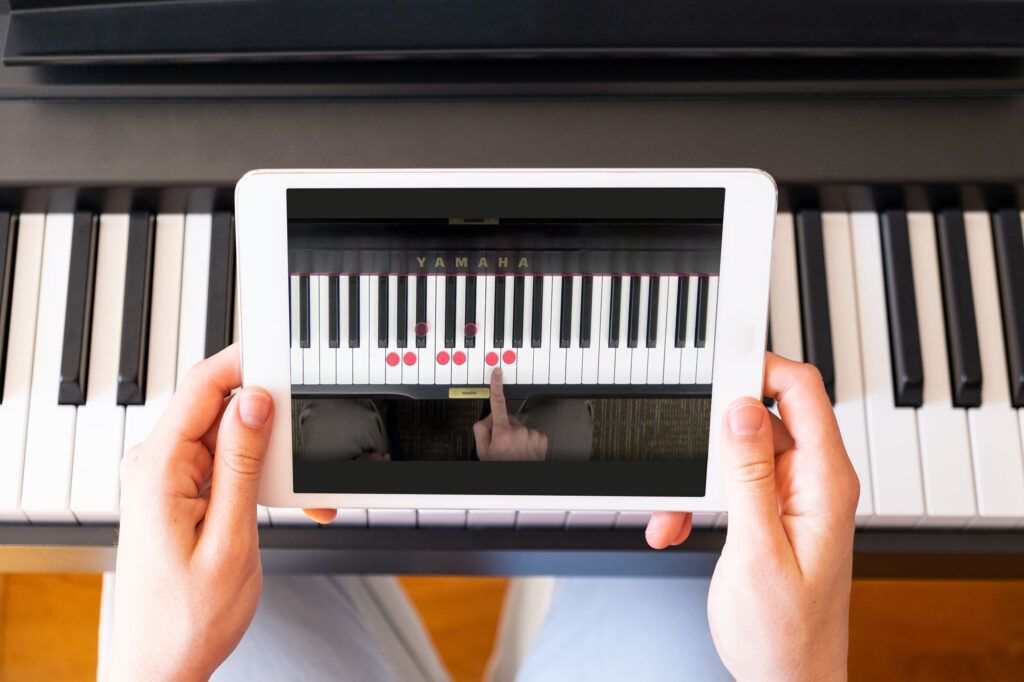
Hoffman Academy feels like a full beginner course rather than just an app. It focuses on building a solid foundation from the very beginning.
What I like about it is how clearly everything is explained. The lessons are simple, patient, and easy to follow, which makes it great for beginners and even kids.
It also includes music theory basics, which helps you understand what you’re playing instead of just memorizing notes.
This is one of the best options if you want to learn properly from the start.
What I Liked
- Very clear and structured lessons
- Strong focus on fundamentals
- Good balance between practice and theory
What I Didn’t Like
- Slower pace compared to other apps
- Less focused on quick results
I recommend this if you want to build a strong foundation and learn pianothe right way from the beginning.
14. Music Tutor - Best For Sight Reading
- Best for:Improving note recognition and reading speed
- Not ideal for:Full piano learning or playing songs
- Subscription:Free with optional upgrades
- Features:Flashcard exercises, speed training, note recognition drills
- Content:Sight-reading exercises for treble and bass clef
Music Tutor focuses on one specific skill: reading music.
Instead of teaching you how to play songs, it trains you to recognize notes quickly. This is a key part of becoming a better pianist, especially if you want to read sheet music fluently.
From what I’ve seen, it works best as a support tool alongside other piano learning apps. The exercises are simple but effective, and over time, they can significantly improve your reading speed.
What I Liked
- Very effective for improving note recognition
- Simple and focused approach
- Easy to use alongside other apps
What I Didn’t Like
- Not a complete learning solution
- No lessons or song practice
I recommend this if you want to improve your reading skills and support your overall progress.
15. Vivace - Best For Music Theory
- Best for:Learning and understanding music theory
- Not ideal for:Practical playing or song learning
- Subscription:Free
- Features:Interactive lessons, quizzes, theory exercises
- Content:Scales, chords, intervals, note relationships
Vivace is focused on helping you understand the theory behind music. This is something many piano apps for beginners don’t cover well.
It teaches concepts like chords, scales, and intervals in a simple and interactive way. This helps you understand how music works, not just how to play it.
From my experience, this kind of knowledge makes learning piano easier over time because you’re not just memorizing patterns.
However, it doesn’t teach you how to play directly, so it works best alongside another app.
What I Liked
- Strong focus on music theory learning
- Simple and interactive lessons
- Helps build a deeper understanding
What I Didn’t Like
- No hands-on playing practice
- Needs to be combined with another app
I recommend this if you want to understand music better and improve your overall learning.
16. Synthesia - Best For Visual Learning
- Best for:Visual learners who prefer learning through patterns and visuals
- Not ideal for:People who want structured lessons or theory explanations
- Subscription:One-time purchase (around $29-$39 depending on version)
- Features:Falling notes interface, MIDI support, custom song import
- Content:Song-based learning using visual patterns instead of sheet music
Synthesia is one of the most well-known piano learning software tools, and it works very differently from traditional apps.
Instead of teaching through lessons, it uses a “falling notes” system. You follow notes as they drop on the screen and match them on your keyboard. This makes it very intuitive, especially if you don’t want to deal with sheet music at the beginning.
From my experience, this method helps you play songs quickly because you’re learning visually. It’s similar to how rhythm games work, but applied to piano.
However, it doesn’t explain much. You’re following patterns rather than learning the theory behind them.
What I Liked
- Very easy to start, even without experience
- Great for visual piano learning
- Supports MIDI for better accuracy
What I Didn’t Like
- No structured lessons or progression
- Limited focus on technique and theory
I recommend this if you learn best visually and want to start playing songs quickly without focusing on theory.
17. OnlinePianist - Best For Song Tutorials
- Best for:Learning specific songs step by step
- Not ideal for:Full structured piano learning
- Subscription:Around $9.99-$19.99/month
- Features:Interactive tutorials, song breakdowns, adjustable tempo
- Content:Popular songs with guided, step-by-step tutorials
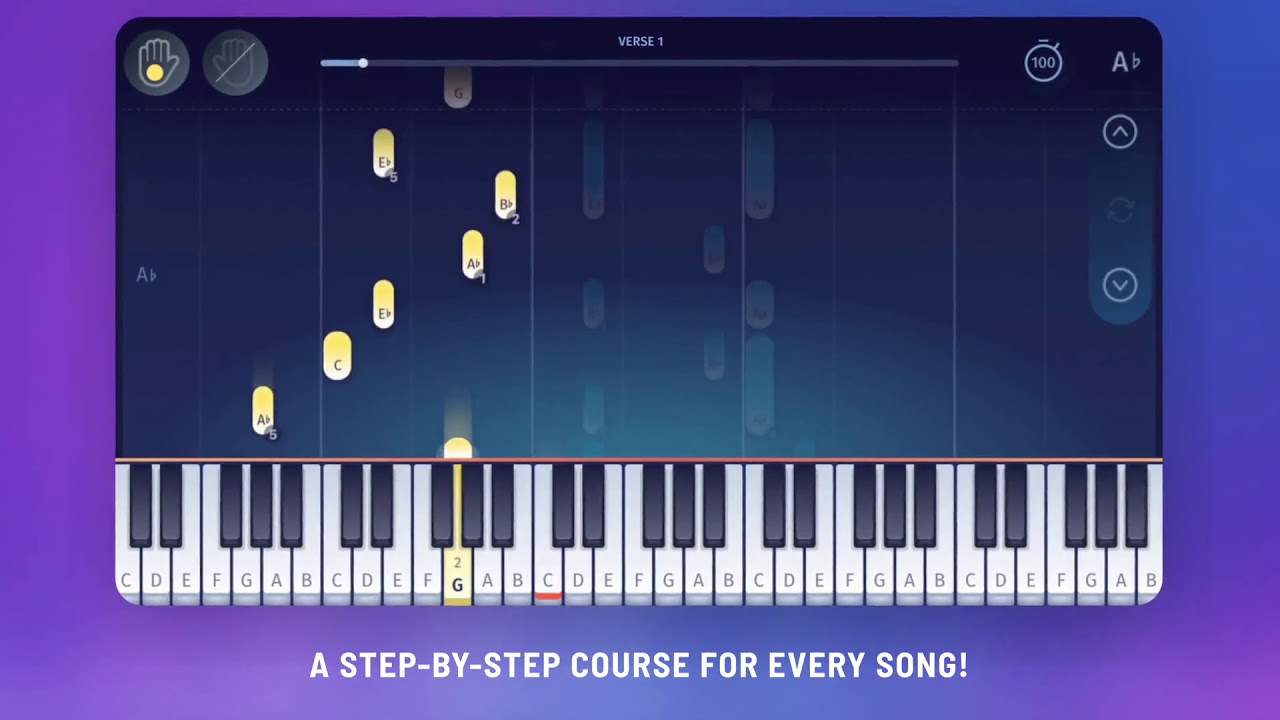
OnlinePianist - learn how to play your favorite songs on piano
OnlinePianist focuses almost entirely on song-based piano learning, and it does that very well.
Each song is broken down into small sections, so you can learn step by step. You can slow things down, repeat parts, and focus on one hand at a time.
From my experience, this makes it easier to learn songs without feeling overwhelmed. You’re not guessing, you’re guided through each part.
What I Liked
- Clear and structured song tutorials
- Easy to follow, even for beginners
- Flexible practice tools
What I Didn’t Like
- Limited focus on overall technique
- Not a complete learning system
I recommend this if your main goal is to learn songs step by step in a clear and guided way.
18. Pianu - Best Free Browser App
- Best for:Beginners who want a simple, free way to start
- Not ideal for:Advanced learners or deep skill development
- Subscription:Free
- Features:Browser-based lessons, interactive exercises, no download required
- Content:Basic lessons, beginner songs, simple exercises
Pianu is one of the simplest online piano learning tools I’ve used. You don’t need to download anything; you can start directly in your browser.
It offers basic lessons and simple exercises, which makes it a good starting point if you’re just exploring.
From what I’ve seen, it’s very accessible. You can try it quickly without committing to anything.
What I Liked
- Completely free and easy to access
- No setup required
- Good for beginners testing the basics
What I Didn’t Like
- Limited lesson depth
- Not suitable for long-term learning
I recommend this if you want a quick and simple way to try learning piano online without installing anything.
19. Melodics - Best For Rhythm Training
- Best for:Improving timing, rhythm, and coordination
- Not ideal for:Full piano learning from scratch
- Subscription:Around $29/month (varies by plan)
- Features:Rhythm-based exercises, performance tracking, interactive lessons
- Content:Timing drills, finger exercises, groove-based practice
Melodics focuses on one key area that many apps overlook: rhythm and timing.
Instead of teaching songs traditionally, it trains you to play in time, which is essential for becoming a better musician.
From my experience, this is especially useful if you already know some basics but struggle with timing or coordination.
It feels more like a training tool than a full learning app. You’re improving a specific skill rather than learning everything from scratch.
What I Liked
- Strong focus on rhythm training
- Helps improve timing and coordination
- Interactive and engaging exercises
What I Didn’t Like
- Not a complete piano learning solution
- Requires some basic knowledge to get the most value
I recommend this if you want to improve your timing and take your playing to the next level.
20. Piano Companion - Best For Chords And Theory
- Best for:Understanding chords, scales, and music structure
- Not ideal for:Learning how to play songs step by step
- Subscription:Free (with optional premium features)
- Features:Chord library, scale finder, reverse chord lookup
- Content:Chords, scales, progressions, music theory tools
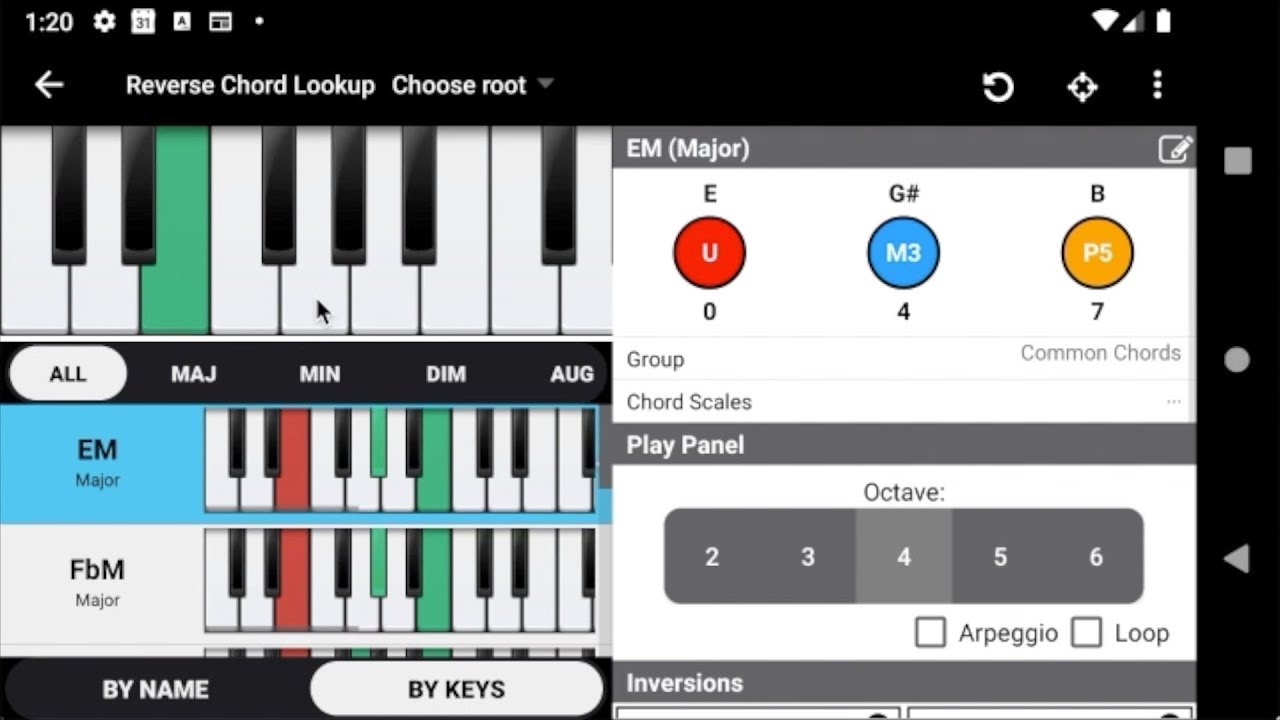
Piano Companion for Android
Piano Companion is more of a music theory and chord reference app than a traditional piano learning app.
It helps you understand how chords and scales work, which is very useful if you want to go beyond basic playing.
One feature I found helpful is the chord finder. You can explore different chords and see how they’re built, which improves your understanding over time.
However, it doesn’t teach you how to play step by step. It’s more of a support tool.
What I Liked
- Excellent for learning piano chords and scales
- Helps build deeper musical understanding
- Useful as a reference tool
What I Didn’t Like
- No guided lessons
- Not suitable as a main learning app
I recommend this if you want to understand chords better and support your overall piano learning.
Which Piano App Should You Choose Based On Your Goal?
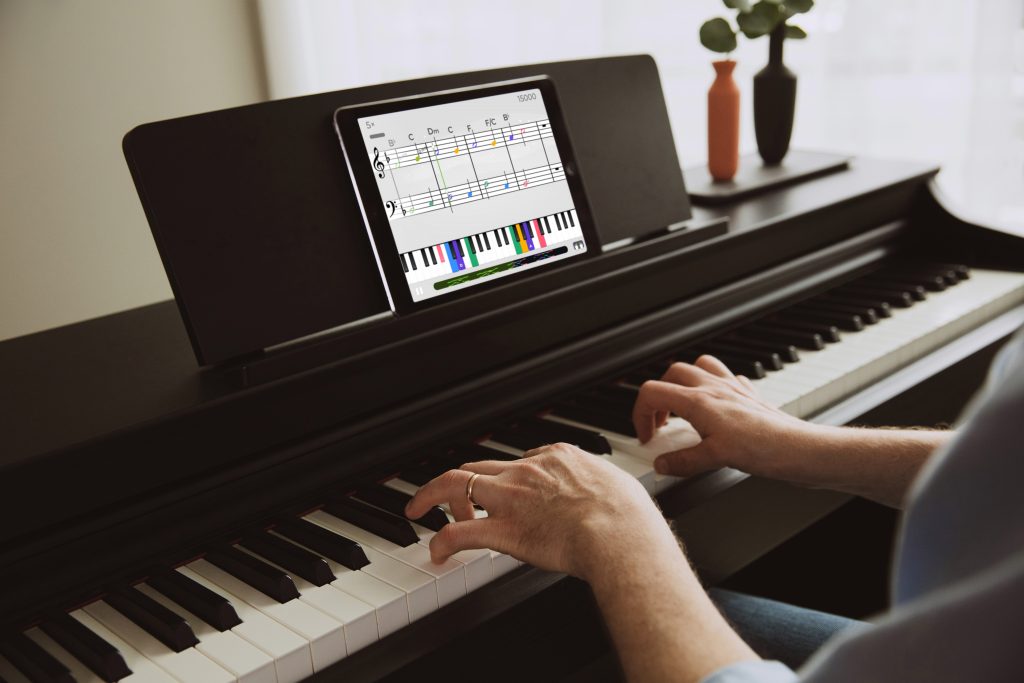
When people ask me, “what’s the best piano app?”, my answer is always the same: "it depends on what you want to achieve."
Not every app is built for the same purpose. Some help you play songs quickly, while others focus on building real skills over time.
Here’s how I recommend choosing based on your goal:
If You Want To Play Songs Quickly
Go With: Flowkey
If your main goal is to sit down and start playing songs as soon as possible, Flowkey is one of the easiest ways to do that.
What I like about it is that you can:
- Follow real piano videos
- Slow things down
- Practice one hand at a time
You don’t feel stuck in long lessons; you just start playing.
Best for you if:
- You want fast results
- You enjoy learning by doing
- You care more about songs than theory
Not ideal if:
You want a structured, step-by-step learning path
If You Want Step-by-Step Learning
Go With: Skoove
If you prefer a clear path where everything builds on the previous lesson, Skoove is a strong choice. When I looked at it, what stood out was how it:
- Guides you from basics to more advanced skills
- Explains what you’re doing (not just what to press)
- Includes theory in a simple way
Best for you if:
- You want to learn properly
- You like structure and guidance
- You’re thinking long-term
Not ideal if:
You want quick, fun results without much theory
If You Want Something Fun And Engaging
Go With: Yousician
If staying consistent is your biggest challenge, this is where Yousician works really well. It feels more like a game than a lesson.
You get:
- Scores
- Levels
- Challenges
That makes practice feel less like work.
Best for you if:
- You get bored easily
- You like gamified learning
- You want to build a daily habit
Not ideal if:
You prefer a more serious or traditional approach
If You Want The Easiest Way To Start
Go With: Simply Piano
If you’re just starting and don’t want to feel overwhelmed, Simply Piano is the safest choice. From what I’ve seen, it:
- Breaks everything into small steps
- Gives instant feedback
- Helps you build confidence quickly
You don’t need any experience to begin.
Best for you if:
- You’ve never played before
- You want something simple and clear
- You want to see quick progress
Not ideal if:
You’re already at an intermediate level
My Simple Recommendation
If you’re still unsure, I’d say:
- Start with Simply Piano if you’re new
- Move to Skoove if you want deeper learning
- Use Flowkey alongside for songs
That combination works really well.
How Long Does It Take To Learn Piano With Apps?
This is one of the most common questions I get.
And the honest answer is: "It depends on how often you practice."
But based on what I’ve seen, here’s a realistic timeline:
First 1-2 Weeks: Playing Simple Notes And Songs
At this stage, you’re just getting familiar with:
- The keyboard
- Basic notes
- Simple melodies
If you practice regularly, you can already play very simple songs
It won’t be perfect, but it’s a great start.
1-3 Months: Building Basic Skills
This is where things start to feel more natural.
You’ll begin to:
- Use both hands
- Play simple chords
- Understand basic rhythm
Most people at this stage can: play beginner songs with some confidence
3-6 Months: Gaining Control And Confidence
With consistent practice, you’ll notice:
- Better coordination
- Fewer mistakes
- More comfort with the keyboard
You’ll be able to play more complete songs and follow lessons more easily
6+ Months: Reaching Intermediate Level
At this point, you’re no longer a beginner.
You can:
- Play with both hands smoothly
- Learn songs faster
- Understand basic theory
This is where learning starts to feel really rewarding.
What Really Makes The Difference
From everything I’ve seen, progress comes down to one thing: consistency
- 10-15 minutes every day → real progress
- Practicing once a week → very slow results
The app you choose matters, but your habit matters more.
How To Choose The Right Piano Learning App
Choosing the right app can save you a lot of time and frustration. From what I’ve seen, most people don’t fail because the app is bad; they struggle because the app doesn’t match what they actually need. Here’s how I think about it when choosing a piano app.
1. Start With Your Goal
What Do You Actually Want To Achieve?
Before anything else, you need to be clear about your goal. Some people want to play songs as quickly as possible. Others want a proper step-by-step learning path that includes technique and theory. And some just want a simple and relaxed way to play.
If you’re not clear on this, it’s easy to jump between apps and feel like you’re not making progress.
From my experience, picking one main goal makes everything easier. Once you know what you want, choosing the right app becomes much more straightforward.
2. Match Your Learning Style
Choose Something That Feels Natural To You
Not everyone learns the same way. Some people learn best by watching and copying, while others prefer clear explanations that build step by step. Some people learn best through interaction and feedback.
If the app doesn’t match how you naturally learn, you’ll likely lose interest quickly.
What I’ve noticed is that the best app is not necessarily the most popular one; it’s the one that feels easy and natural for you to use consistently.
3. Look For Feedback And Structure
These Are The Features That Actually Help You Improve
Two things make the biggest difference in any piano app: feedback and structure.
A good app should guide you step by step, so you always know what to learn next. It should also tell you when you make mistakes, so you can fix them early.
Without structure, learning feels random. Without feedback, you can practice incorrectly without realizing it.
If you want real progress, these two features matter more than anything else.
Choose Between Free And Paid Apps Wisely
Understand The Difference Before Deciding
Free apps are a great way to get started. They let you explore the basics and see if learning piano is something you want to continue.
But from what I’ve seen, they often have limits. You might get a few lessons, but not a full learning path.
Paid apps usually offer more complete systems. You get better guidance, more lessons, and tools that help you improve faster.
If you’re just testing things out, free is fine. But if you’re serious about learning, a paid app can make a big difference.
Make Sure Your Setup Works
Don’t Overlook This Part
This is something many beginners ignore, but it can affect your entire experience. Some apps work best with a real piano or a digital keyboard connected through MIDI. Others rely on your phone’s microphone or even a virtual keyboard.
If you’re using an iPhone or iPad, it’s worth checking some of the new piano learning apps for iOS, as many are designed to work better with touch controls and mobile screens. If your setup doesn’t match the app, you might get poor feedback or feel frustrated while practicing. Before you commit to an app, make sure it works well with what you have.
Benefits Of Learning Piano With Apps
From what I’ve seen, piano apps make learning much more accessible, especially for beginners.
Here’s why they work so well.
Flexible Learning On Your Schedule
One of the biggest advantages is flexibility. You’re not tied to a schedule or a specific location. You can practice whenever you have time, even if it’s just for a few minutes.
This makes it much easier to stay consistent, which is one of the most important parts of learning piano.
Instant Feedback Helps You Improve Faster
Many apps listen to what you play and give feedback immediately. This means you don’t have to guess whether you’re playing correctly.
You can fix mistakes as they happen, which directly supports piano learning fasterby improving accuracy early in the learning process.
Learning Feels More Engaging
Apps often include simple features like progress tracking, levels, or small challenges. These might seem minor, but they make practice feel more rewarding.
From my experience, this is one of the main reasons people stick with learning instead of quitting early.
More Affordable Than Traditional Lessons
Compared to in-person lessons, apps are much more affordable. You still get structured learning and guidance, but without the high cost.
While they may not fully replace a teacher at higher levels, they are a very strong starting point.
Access To Different Songs And Styles
Most apps give you access to a wide range of songs. This helps keep learning enjoyable and gives you a chance to practice different skills.
Being able to play songs you like also makes it easier to stay motivated over time.
Common Mistakes When Using Piano Apps

Even with a good app, it’s easy to slow your progress if you’re not careful. I’ve seen the same mistakes come up again and again. Avoiding these can make a big difference.
Skipping The Basics Too Quickly
Build your foundation first. It’s tempting to jump straight into songs, especially when you’re excited to play something recognizable. But skipping the basics like finger placement and note reading often leads to confusion later on. Taking time to build a solid foundation will actually help you learn faster in the long run.
Practicing Inconsistently
Small daily practice works best. A common pattern I’ve noticed is starting strong and then losing momentum. Long practice sessions once in a while are not as effective as short, regular sessions. Even 10-15 minutes a day can lead to steady improvement if you stay consistent.
Ignoring Feedback
Don’t repeat the same mistakes. If the app shows that something is wrong, it’s important to fix it before moving on. Ignoring mistakes can slow your progress and make it harder to correct them later. Taking a moment to fix errors early saves a lot of time in the future.
Relying On Only One App
Use additional tools when needed. No app covers everything perfectly. Some focus more on songs, others on theory or technique. Using another app or resource occasionally can help you improve more effectively.
Playing Too Fast Too Soon
Focus on accuracy first. Trying to play quickly before you’re ready often leads to mistakes and frustration. It’s better to slow down, play carefully, and build control. Speed will come naturally over time.
Not Having A Clear Goal
Direction keeps you motivated. Without a clear goal, it’s easy to feel lost. You might jump between lessons without really improving. Knowing what you want to achieve helps you stay focused and consistent.
People Also Ask
What Is The Best App To Learn Piano Fast?
From my experience, Simply Piano and Flowkey are the fastest for beginners.
Can You Learn Piano Without A Teacher?
Yes, especially at the beginner stage. Apps can guide you well if you stay consistent.
Are Free Piano Apps Enough?
They are good for starting, but paid apps usually give better results.
How Long Does It Take To Learn Piano?
It depends on consistency, but most people can play simple songs within a few weeks.
Final Thoughts
If you want a simple recommendation, I would say:
Start with Simply Piano if you’re a beginner. It’s the easiest way to build confidence.
Use Flowkey if you want to play songs quickly and stay motivated.
Choose Skoove if you want a more structured and serious learning path.
The most important thing is not the app, it’s consistency. If you practice regularly, you will improve.
If you found this helpful, consider sharing it or bookmarking it so you can come back when you’re ready to choose your app.